






10 Questions About EdTech to Ask Your Kid's Teacher
If kids are using screens at school, you might want more information, and these questions can help guide a constructive conversation.

Screens are everywhere, including schools. It can be hard as a parent or caregiver to keep track of it all. So when it comes to edtech, you might have concerns but not know what to ask. Below are some questions to help guide that conversation. As you ask, it's helpful to remember that district, school, and classroom-level decisions might be tangled up in mandates or other bureaucratic webs. You still need answers, but leading with curiosity can help create a constructive conversation that allows everyone to get on the same page: the learning and well-being of our kids.
1. Which edtech tools will my child be using in your class?
One reason the word "edtech" can be confusing is it applies to a wide variety of classroom technology solutions, from educational video lessons and programmable robots to online systems that connect students and teachers. And so much depends on your kid's age and stage: The "if-what-how" of devices and tools should depend on a student's grade level.
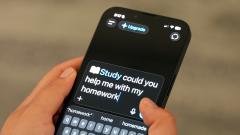
Artificial intelligence also falls into this category, and its use in the classroom varies. Asking explicitly about AI (if and how it's used, both by the teacher and by students) is important from a safety and equity perspective.
The teacher or the school should be able to provide a list of the resources they're using. A well-prepared teacher will be knowledgeable about them and able to discuss the learning potential. But if the classroom teacher doesn't have all of the information, the IT leader at the school or district will know more. Ask for a demonstration of the software, or check it out online yourself. Many educational software developers include information for parents on their websites.
2. How does this device, app, or website help my kid learn?
Just like the types of edtech, the learning purposes of devices and tools can vary widely. While some might be for practicing skills and measuring progress, others might be for sparking curiosity or doing research. Ultimately, there should be a clear purpose that goes way beyond "free time." Ideally, the experience that students have on a screen can't be duplicated by pen and paper. In other words, online worksheets might not be the best use of devices. Asking how a tool or device enhances learning is sometimes a way to differentiate and define purpose.
And then there's standardized testing: Most testing happens on devices, which means kids are often practicing on devices. Because these tests are usually state-mandated, the schools themselves have no say in the method of testing, but are directly measured by the results. In this case, the device use doesn't help kids learn more broadly, but it does help prepare them for the testing experience itself.
3. How much time during the day or class period will kids be using media or tech?
Screen time is often on the minds of parents and caregivers, and it's important to understand the basic parameters of "how much." But it's not always easy to predict to the minute, depending on students' needs, the project itself, or even access to devices on a given day. Once you understand which tools and for what purposes, it's easier to get a sense of this potential variability around time—and with less anxiety. And since kids want to use devices at home, too, finding great media and seeking balance with off-screen activities can boost well-being.
4. Will my kid need to have access to these tools at home? And for how much time?
The at-home requirements for technology vary a lot from class to class and school to school. If your school has a one-to-one program, your kid will be using that device (and only that device, since the software on it is part of the curriculum) at school and at home. If your school uses a "flipped classroom" model, meaning kids watch online videos or interactive presentations at night and do guided practice (aka homework) during the school day, you'll probably need a device for that. "Blended learning" classes, which mix technology into the school day, may or may not require the use of a device after school.
Like in-class screen time, the time that kids need to use devices at home will probably vary. But when it comes to specific software—like for math or reading drills—actual time limits are helpful. If kids need to research or write while collaborating with a group, it might be more open-ended.
Many teachers recognize that not all students have computers or even high-speed internet access at home. They try to make sure that their online assignments can be completed at school during the day. But that's not always possible. Get your teacher's input on the kind of device you might need, the programs and accounts you'll need, and which apps and other software might be useful. If you need more help and advice, ask an administrator to connect you with the school's technology specialist.
5. Can I see what my kid is doing on this device?
When your kid is working on a printed worksheet, you can easily track their progress. But when they're entering information into a software program? Not so much. Edtech requires everyone—teachers, students, and parents—to work a bit differently than they're used to. Ask your teacher how you can continue to support your kid's online learning and monitor interactions (if necessary). The software may have a teacher dashboard that can be shared with parents or a parent account, or the teacher can give you access to your kid's account.
6. Are the sites/apps/games approved by the school, or is the teacher free to choose the edtech?
Depending on the school, teachers may have a lot of flexibility in what technology they use in their lessons. The only issue is that when students aren't using a school-wide program, they may need to create individual accounts on the software, which invites some privacy concerns. If that's the case, find out who creates the account, what information is needed, and whether parental consent is required, and dig into the software developer's privacy policy to make sure you understand what student information (if any) is collected.
7. How did the school determine that this device/tool is safe for students?
Find out whether the school has information about its edtech review process and whether student privacy is part of it (it probably is). The bottom line is that any information should be for educational purposes, and companies should not be able to use or monetize student data. If you happen to hear about a data breach involving a tool that your kid uses, you can reach out to the IT specialist to find out how the school or district might be handling it.
8. Does the school or class use a digital citizenship curriculum or any lessons to prepare students for using technology in class?
If schools are using edtech of any kind, it's best that students get some kind of digital literacy and well-being instruction. We have a free K–12 curriculum you can recommend, but no matter what program they use, reinforcing those concepts at home can help close the loop for kids. After all, they probably use devices at school and at home, so learning how to manage their safety, time, and well-being is truly a life skill they need now, and in the future.
9. What does it mean if my school is using an "adaptive learning system"?
Adaptive learning systems change lessons on the fly in response to a student's performance. Typically, each student has an individual account and works on lessons that change based on their answers—for example, adding extra work in weak areas and moving quickly through areas of mastery. The student's progress is automatically accessible by the teacher's account. This kind of software is often useful for schools to track and report data that fulfills a mandate of some kind, like literacy, dyslexia, or math fluency screening. Sometimes, though, the tools aren't kids' favorite. If your school requires an adaptive tool, asking for time limits (if not provided), can help limit your kid's burnout.
10. Is edtech better than traditional ways of learning?
The answer to this depends on the edtech and what kids are learning. Sometimes online experiences can open up whole worlds of learning that kids can't easily access, like live feeds of animals, virtual field trips, and museum sites from across the world. Sometimes it invites a kind of problem-solving and spatial awareness that's harder to replicate with tangible objects. It can offer scientific tools and dynamic diagrams that help kids visualize things more easily. But some edtech isn't great, doesn't deliver on its learning promises, and just replicates what kids can easily do off-screen. It's a mixed bag, and that's why the questions above can help you understand what your school is using, why, and if it's actually helping kids learn. Most school districts are realistic about the limits and potential of learning with technology. A balanced teaching approach, with instruction that requires kids to use their brains and bodies and that takes into account various learning styles, is crucial for a well-rounded education.

Common Sense Media offers the largest, most trusted library of independent age-based ratings and reviews. Our timely parenting advice supports families as they navigate the challenges and possibilities of raising kids in the digital age.
Recommended reads on this topic


