



How to Help Kids Stay Safe with Google's AI Search
Google is the most-used search engine in the world, but it exposes kids to unsafe or inaccurate information with AI answers that can't be turned off.

Google has been quietly changing the way we find information online. Over the past few years, it has added new artificial intelligence (AI) features to search. These changes may seem convenient at first glance, but they leave our kids open to answers that are inaccurate and unsafe.
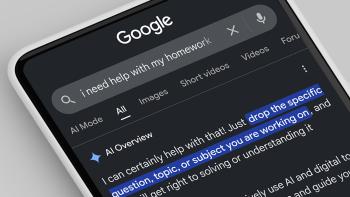
In 2024, Google added AI-generated answers, called AI Overview, to search results. These appear automatically at the top of the search page on every device. Recently, Google went further and added an "Ask anything" chat box, called AI Mode. It encourages users to continue an ongoing back-and-forth conversation with AI. These AI-generated answers are widely used, especially by young people.
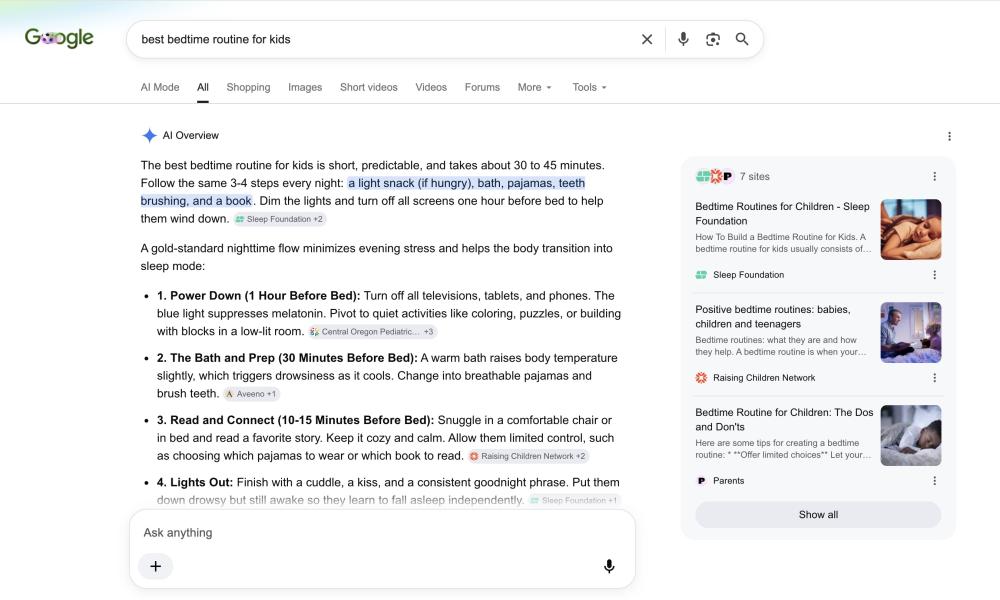
Common Sense Media's Youth AI Safety Institute tests the most popular AI products the way kids actually use them. We use these results—along with our kid-safe design standards—to rate how safe and effective each app or tool really is. Google's Search is rated as Unacceptable Risk. Until companies design with kids' safety in mind, young users are at risk from these features. But as parents and educators, we can help. We can guide kids in building media and AI literacy skills that help them evaluate information, understand how these tools work, and see where the tools fall short. Here are some tips on what to know about Google search and how AI has changed the game.
Parents Need to Know
- Google AI search features can't be turned off. Google Search is different from other chatbots or AI apps because it's on nearly every device kids use, at home and at school. Even on a supervised kids account using SafeSearch, responses aren't always age appropriate. An 11-year-old sees the same results as a 17-year-old. And if a child uses Google without logging in, or logs in under a parent's account, there are no SafeSearch protections at all. They will get the same responses an adult would.
- Health and safety information is unreliable. Kids often ask these tools questions about health, safety, and other sensitive topics, which makes the risks serious. Google's AI Overview and AI Mode misses clear warning signs when a young person is thinking about suicide. It will agree with harmful eating behaviors like purging, celebrate marijuana use, and play along with signs of serious mental health crises, like psychosis and mania. It will even hand over step-by-step instructions for making deepfakes, which can be used for bullying. Kids should not go to AI chatbots for mental health support, but many do because AI is always right there.
- Kids can find easy answers for schoolwork, but they're often wrong. AI search answers pull from the entire internet, including sources that aren't reliable. So the answers—and the sources—can be wrong. These features also make it easy to settle for the first answer instead of digging deeper. And if kids ask, the AI will do their homework for them.
The best solution would come from Google: Make AI search features optional, and create age-appropriate experiences for kids. Until then, you may want to try a browser that doesn't make AI answers the default. You can also click the "More" option at the top of Google search results and select "Web" to remove the AI Overview answers. Unfortunately, this bypass has to be done every time for each search.
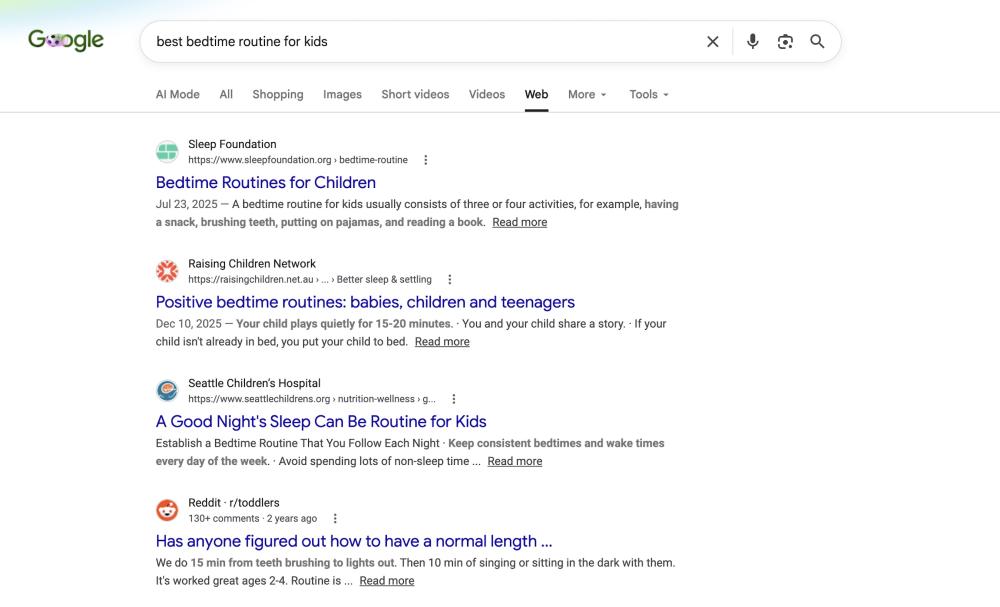
These aren't permanent fixes. So have conversations with your kids, and help them think critically about using Google to get information.
Talk to Your Kids About ...
- Teach kids how AI search answers and sources can be wrong. Show your child that an AI summary with links isn't the same as information from those links. Some sources are more reliable (like a medical institution) than others (like a blog or Reddit). Try an experiment together: Ask the same question a few times, and watch how the answers change.
- Make sure your kid knows where to go when they need help. Kids should not rely on Google's AI answers for mental health support. It can't reliably detect a crisis, and its responses can include wrong information about crisis hotlines. Make sure your child knows to talk to a trusted adult when they're feeling worried, sad, or anxious and to call 988 in a crisis.
- Discuss how to use Google Search for homework the right way. AI is built into so many products now that AI literacy is an essential first step before students start doing research. If you're worried your child is using AI Mode as a shortcut, explain that letting AI do the work for them limits their learning and can have academic consequences.
- Talk about how Google made AI answers default and unavoidable. This is a great conversation starter and critical thinking exercise for teens. Do they think it's fair? What are the pros and cons of a tech company shaping what millions of people know and do? How do they wish the search bar was designed?

Common Sense Media offers the largest, most trusted library of independent age-based ratings and reviews. Our timely parenting advice supports families as they navigate the challenges and possibilities of raising kids in the digital age.
Recommended reads on this topic