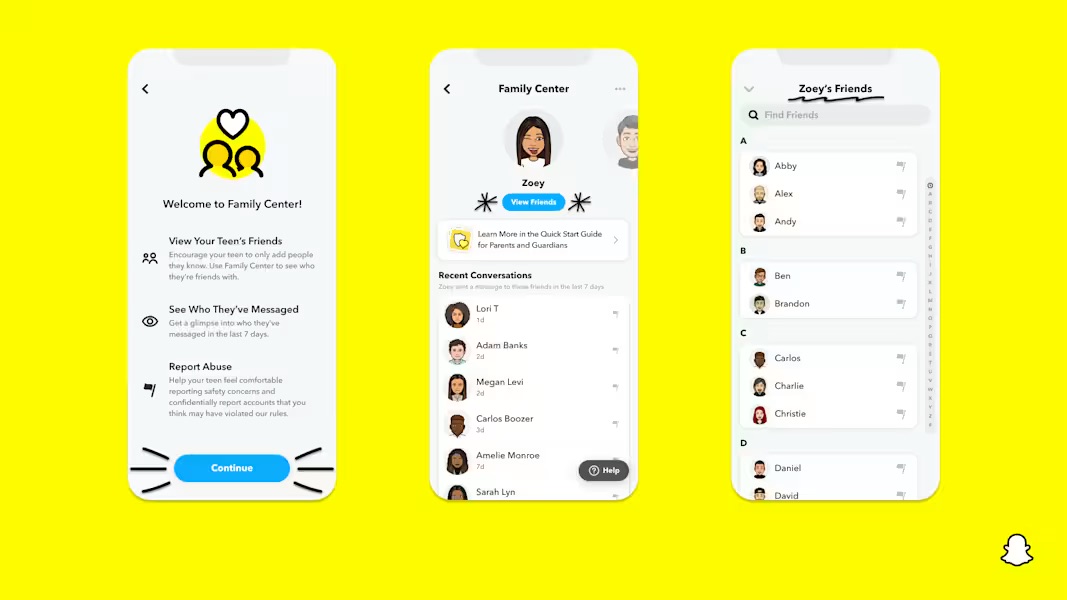
Snapchat can be a fun way for kids to stay up to date with their friends, but using the platform can also expose them to inappropriate content and disappearing messages from peers or unfamiliar individuals, including AI chatbots. There are also concerns about location sharing with the Snap Map, like strangers having access to kids' locations, or people using the Snap Map to market drugs. There have also been reports of messages directed at kids that promote the sale of drugs or other illicit material. The protective settings are available only through your child's account settings and cannot be accessed through the family center. That means kids have to consent to these setting changes for them to work.
Unwanted contact with strangers via messages and Snap Map: By default, anyone can contact kids on Snapchat, whether they're actual friends or not. Because messages disappear, it's difficult to monitor what's being shared. To limit contact with strangers, you can adjust the settings on your child's profile by tapping the gear icon, then tapping Contact Me and selecting the Friends option. Remember, kids can still add new friends anytime, so it's smart to check their friend list regularly, or have conversations with your kids about who they're friends with on the platform. You or your child can also block or report users from your or your child's profile, if needed.
Inappropriate content in messages, both with friends and with strangers, and also in Stories and Spotlight: Teens can encounter explicit or mature material in messages (from friends or strangers), as well as in Stories and Spotlight videos. Kids can also receive harmful or dangerous messages from anyone on Snapchat in disappearing chats, and bullying can happen quickly and privately, so it's important to have open conversations with your kids about who is connecting with them. While they can report inappropriate Stories by long-pressing or tapping the three dots to explain why, there's no way to fully block inappropriate content.
My AI chatbot: The app automatically adds an AI chatbot called My AI to kids' friend lists. Kids can interact with the chatbot and receive responses that pose unacceptable risks to teens and children under 18, including encouraging harmful behaviors, providing inappropriate content, and potentially exacerbating mental health conditions. See more about the risks of social AI companions in our AI risk assessment. The chatbot cannot be removed unless the user subscribes to Snapchat Plus. However, the user can delete AI data on a regular basis by tapping the gear icon in settings, going to account actions, and clearing AI data.
Location sharing: You can turn off your kid’s location on their device by going to their settings, navigating to the gear icon, selecting ghost mode to hide location from everyone or from specific people, and turn off live location updates. You can also tap on the arrow on the Snap Map to see location settings. Kids can also set in-app reminders to prompt them to confirm whether they'd like to continue sharing their location after a period of time, so they can make more deliberate choices about who knows their location.
My AI chatbot: The app automatically adds an AI chatbot called My AI to kids' friend lists. Kids can interact with the chatbot and receive responses that pose unacceptable risks to teens and children under 18, including encouraging harmful behaviors, providing inappropriate content, and potentially exacerbating mental health conditions. See more about the risks of social AI companions in our AI risk assessment. The chatbot cannot be removed unless the user subscribes to Snapchat Plus. However, the user can delete AI data on a regular basis by tapping the gear icon in settings, going to account actions, and clearing AI data.
My Dreams: This built-in feature uses AI to generate new images based on selfies that users provide. The feature can create fantastical images with children's likenesses. We recommend turning the feature off. To do so, go to the profile icon in the top left, tap the gear icon for settings, scroll down to AI selfies, and toggle the feature off. You can also clear existing images in the same place to prevent future creations from this same material. Kids can also customize who can generate dreams using their selfies, and, if they choose, set it to "only me."
Screen time management, notifications, and streak notifications: Children can be bombarded with notifications every time a message is sent, encouraging continuous use. To manage screen time, your child can adjust their settings. To do so, tap the profile image on their device, navigate to settings, tap notification settings, and decide which notifications you'd like to receive.
Story views: Kids can post public photos or videos to their Stories, leaving them vulnerable to accidentally sharing private or personal information with strangers. To avoid this, you can manage who can see your kids' story by going to their profile and tapping the gear icon, then privacy control, and then tap View my story and select friends only.