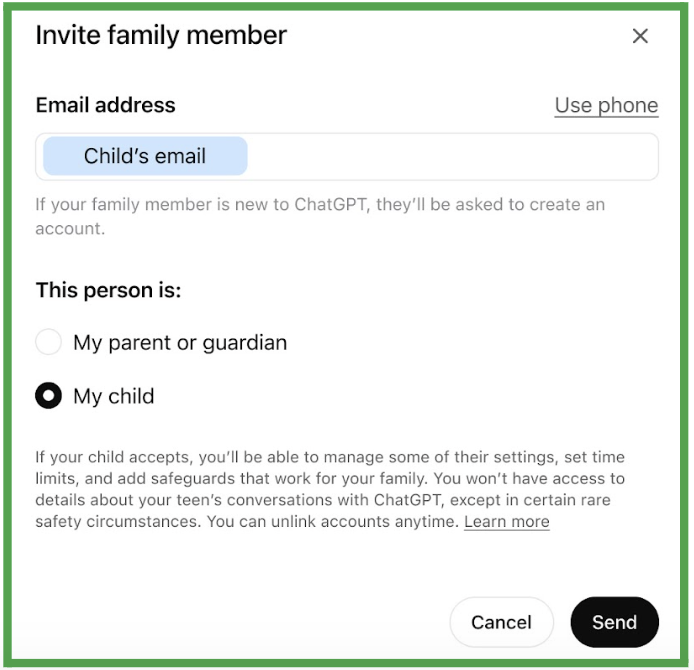
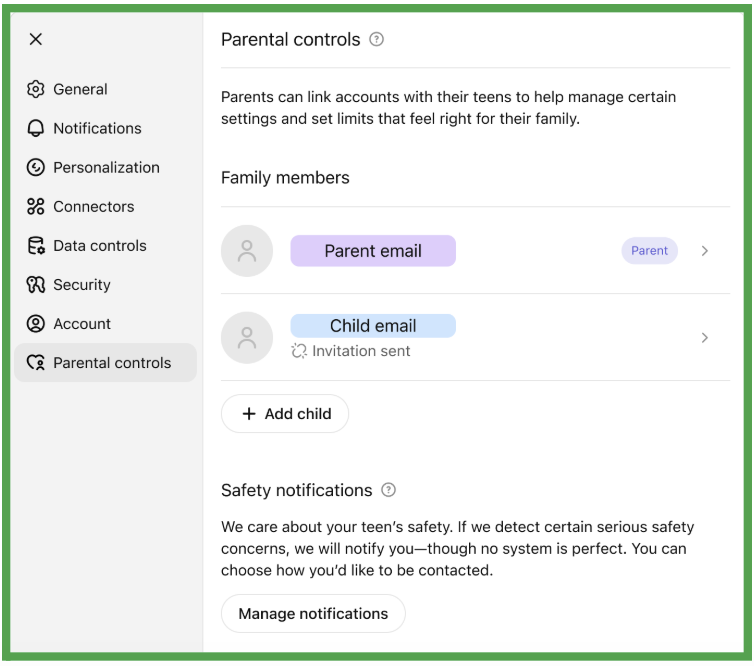
Once you're linked to your teen's account, you'll have access to several parental controls in the settings section of your ChatGPT account. You won't have access to your teen's actual conversations with ChatGPT, but you can manage their privacy and content settings.
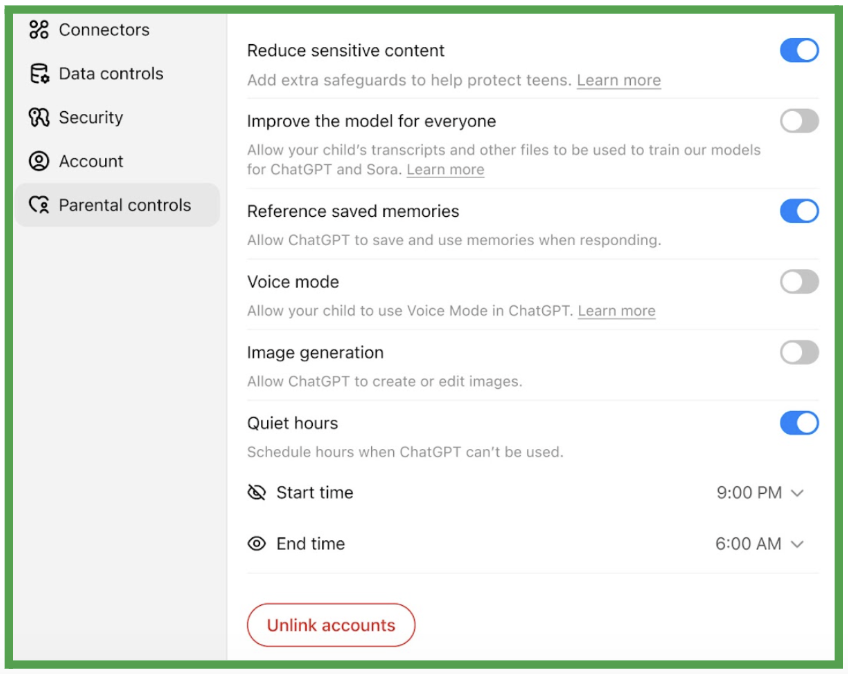
Here's what each setting does, along with our recommendations:
Reduce Sensitive Content
What it does: This adds extra content guardrails in areas like dangerous activities, body image, sexual content, violence, and role-playing scenarios. When enabled, ChatGPT will be more likely to avoid unsafe or graphic topics and will focus on age-appropriate answers.
Our recommendation: Keep this ON. These additional protections can help prevent your teen from accessing inappropriate content or getting potentially harmful advice. While not foolproof, these guardrails add an essential layer of safety.
Model Training
What it does: This allows ChatGPT to use your teen's conversations to improve future versions of the AI.
Our recommendation: Turn this OFF. Protecting your teen's privacy should be a priority. There's no benefit to your family from having your teen's conversations used for training purposes, and disabling this setting is the safer choice.
Memory
What it does: This allows ChatGPT to remember details from previous conversations with your teen, like their interests, what subjects they're studying, or writing style preferences, in order to personalize responses.
Our recommendation: Keep this ON, but be vigilant. Memory can be helpful for educational purposes. For example, if your teen is getting tutoring help, ChatGPT can remember what topics were covered last week. It can also help the AI notice patterns that might indicate your teen is in distress. However, be aware that this feature could potentially contribute to your teen forming an attachment to the AI, since the AI will "remember" details about your teen. (When you also have the "reduced sensitive content" setting enabled, this risk is reduced but not entirely eliminated.)
Voice Mode
What it does: This allows your teen to use Voice mode in ChatGPT so they can have spoken conversations with ChatGPT instead of just typing.
Our recommendation: This is largely a matter of family preference. Voice mode can make interactions feel more natural and may be helpful for teens who prefer speaking to typing, or can be an accommodation for certain learners. Just be aware that spoken conversations can feel more personal and relationship-like than text-based ones. Plus, a teen's unique voice contains personally identifying information, and ChatGPT collects this data as part of its functionality.
Image Generation
What it does: This allows ChatGPT to create images based on your teen's requests.
Our recommendation: Turn this OFF. Image generators are known to have significant bias issues and can produce inappropriate or stereotypical content. They can also be used to create images that might be problematic in school or social contexts.
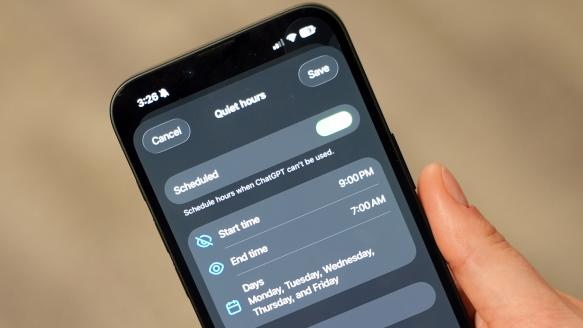
Time Limits (Quiet Hours)
What it does: This prevents your teen from using ChatGPT during specified hours, such as bedtime or family time.
Our recommendation: Set reasonable limits that align with your family's screen time rules and sleep research. Most teens need 8 to 10 hours of sleep per night, and screens can interfere with sleep quality. Consider setting quiet hours from 10 p.m. to 7 a.m., or whatever works best for your family's schedule. You can adjust the start and end times to match your teen's bedtime and wakeup routine.
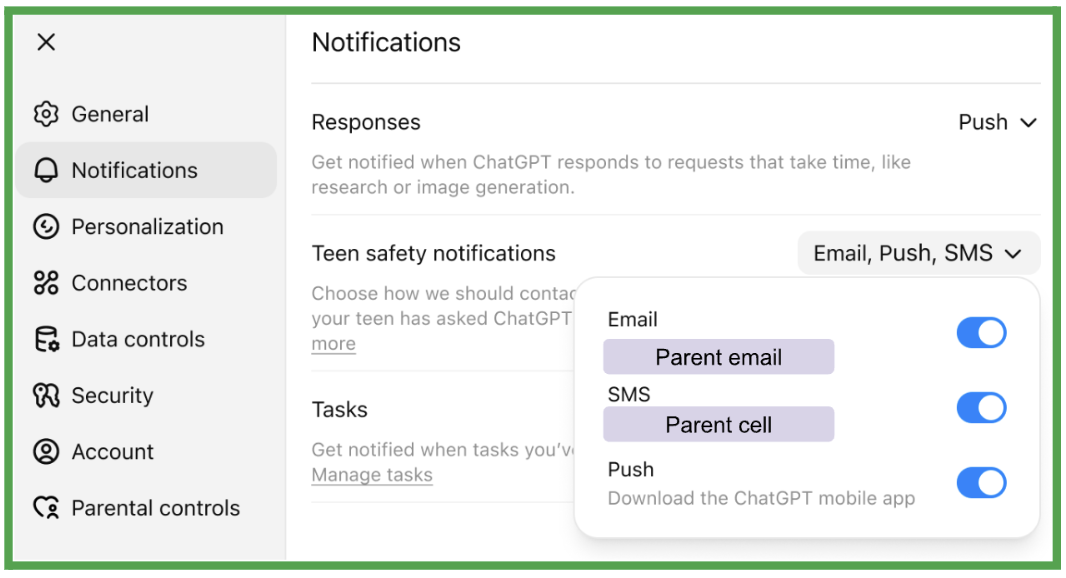
Notifications
In the notifications tab, you can also set ChatGPT to notify you if human reviewers flag your teen's conversations with ChatGPT for certain safety content, including suicide and self-harm. We recommend that you keep this setting ON.