







Common Sense Media Review
 By Dana Anderson
,
based on child development research. How do we rate?
By Dana Anderson
,
based on child development research. How do we rate?
Fantastic, customizable tracing practice with fun rewards.
Parents Need to Know
Why Age 4+?
Any Positive Content?
Where to Download
Videos and Photos


Writing Wizard for Kids




What's It About?
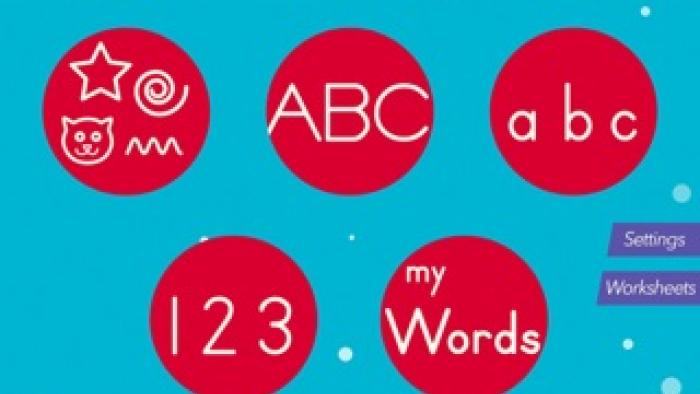
Start by adjusting the settings in WRITING WIZARD - KIDS LEARN TO WRITE LETTERS & WORDS by choosing the font, difficulty, and other specifics. Next, select uppercase or lowercase letters, shapes, numbers, or words. Tap one and watch as a hand with a pointed finger writes the letter, number, shape, or word and then shows you where to trace first. Red arrows and targets appear to show tracing direction, and sounds cue kids on what to do next. You can tap, swipe, or tilt the device to play with the animations.
Is It Any Good?
An engaging writing-practice tool for beginners, this tool resolves tracing frustration and boredom with clear instructions followed by surprising, rewarding fun. Animated graphics -- from dancing cupcakes to rushing rainbows of stars, tiger faces, and bouncing hearts -- motivate kids to keep following the audio and visual prompts to trace each letter, number, and word properly to see what happens in the end. The customization options help parents tailor the experience to a kid's current level and increase difficulty for more precision in tracing as they improve. Although the app doesn't directly evolve to include concrete writing skills such as using a pincer grip or holding a writing tool, tracing is an important beginning step, and the instructions encourage parents to have kids use a stylus. Writing Wizard provides well-designed, thoughtfully created tracing practice that includes some letter naming and phonetic sounds.
Talk to Your Kids About ...
Families can talk about the difference between using paper and an app. Which do your kids prefer? Why?
Use all the custom settings to adapt tracing to your kid's current fine motor skills.
As kids progress, create your own word list for them to trace. Kids love to trace the names of people they know and other words especially important to them.
Create a journal-transfer book for kids to practice their handwriting using a pen and paper.
App Details
- Devices : iPhone , iPod Touch , iPad , Android , Kindle Fire
- Subjects : Language & Reading : following directions , letter or word recognition , phonics , writing
- Skills : Self-Direction : effort , self-assessment , work to achieve goals , Health & Fitness : fine motor skills
- Pricing structure : Paid
- Release date : May 24, 2015
- Genre : Education
- Publisher : L'Escapadou
- Version : 3.7
- Minimum software requirements : Requires iOS 10.3 or later.
- Last updated : November 11, 2020
Did we miss something on diversity?
Research shows a connection between kids' healthy self-esteem and positive portrayals in media. That's why we've added a new "Diverse Representations" section to our reviews that will be rolling out on an ongoing basis. You can help us help kids by
Suggest an Update
Common Sense Media's unbiased ratings are created by expert reviewers and aren't influenced by the product's creators or by any of our funders, affiliates, or partners.
See how we rate