







Common Sense Media Review
 By Kim Alessi
,
based on child development research. How do we rate?
By Kim Alessi
,
based on child development research. How do we rate?
Freemium slideshow tool better on privacy than similar apps.
Parents Need to Know
Why Age 13+?
Any Positive Content?
Where to Download
Videos and Photos


Animoto: Slideshow Maker


What's It About?
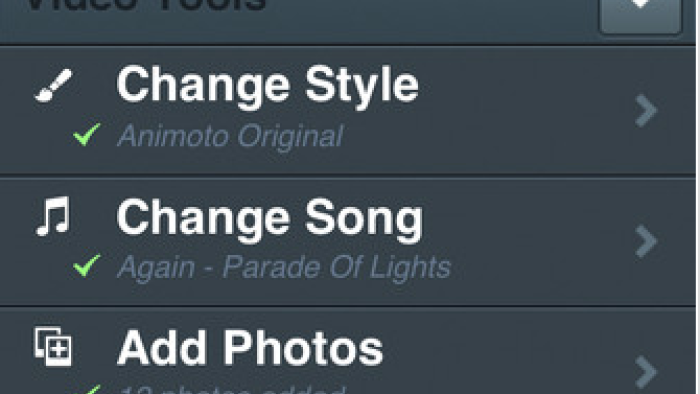
Teens select a template, a song from their device or from the app's music library, and their own photos, video clips, and text. The free version limits slideshows to a maximum of 12 photos or video clips. Slideshows save automatically within the app and in the user's auto-generated account on the Animoto website, and are private unless the user shares them. Teens can download slideshows to their device. Sharing options within the app include Facebook, Twitter, email, and text message. On the Animoto website, users can share to the whole gamut of social media sites.
Is It Any Good?
ANIMOTO VIDEO MAKER is a great tool for teens to create slideshows with their own photos, videos, and music. Compiling and uploading a 30-second slideshow is fast, and sharing it is even faster. Kids and parents can document any event together -- a family vacation or holiday, an art project, a graduation or recital, or just an everyday walk in the park -- then in minutes create and share an impressive video slideshow.
What sets Animoto Video Maker apart from other popular media-creation apps is that it's safer for teens -- Unlike Viddy or Instagram, users cannot connect to each other on the Animoto website nor within the Animoto app. In addition, there is currently no way to search the Animoto website to see uploaded videos. That said, the app involves uploading content to the web, which may or may not remain private, and it encourages sharing on social media. Teens should think carefully about what they include in their Animoto slideshows and where they choose to share them.
Talk to Your Kids About ...
Talk with your kids about possible topics for a video slideshow, such as documenting a school science experiment, family vacation, or art project.
Make sure your kids understand the responsibilities and consequences of making video slideshows public on social media sites.
App Details
- Devices : iPhone , iPod Touch , iPad , Android , Chromebook
- Subjects : Arts : film , photography , Language & Reading : presenting to others , storytelling
- Skills : Tech Skills : digital creation , Communication : multiple forms of expression , presenting , Creativity : making new creations
- Pricing structure : Paid , Free
- Release date : October 2, 2017
- Genre : Photo & Video
- Publisher : Animoto Inc.
- Version : 9.3.0
- Minimum software requirements : iOS 10.0 or later; Android 4.1 and up
- Last updated : February 25, 2022
Did we miss something on diversity?
Research shows a connection between kids' healthy self-esteem and positive portrayals in media. That's why we've added a new "Diverse Representations" section to our reviews that will be rolling out on an ongoing basis. You can help us help kids by
Suggest an Update
Common Sense Media's unbiased ratings are created by expert reviewers and aren't influenced by the product's creators or by any of our funders, affiliates, or partners.
See how we rate