







Common Sense Media Review
 By Dana Anderson
,
based on child development research. How do we rate?
By Dana Anderson
,
based on child development research. How do we rate?
Create free, simple, mesmerizing art with a finger twirl.
Parents Need to Know
Why Age 6+?
Any Positive Content?
Where to Download
Videos and Photos


Art of Glow


What's It About?
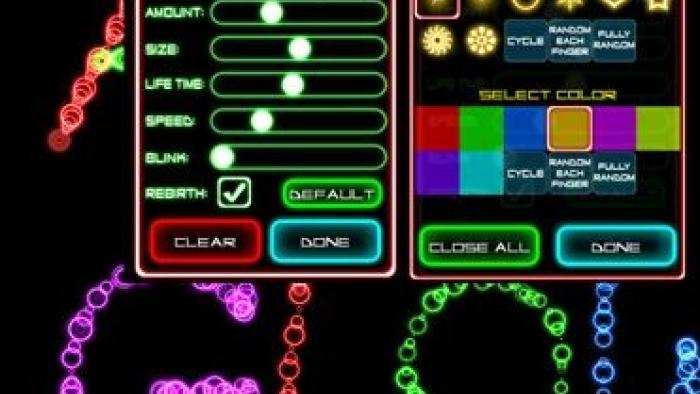
Kids start drawing by first choosing settings for color, shape, size, speed, "blink," and more. With Art of Glow's many choices to choose from (for example, shapes include eight different options), the combinations for creation are endless. As kids begin to finger paint, their own unique moving, twinkling, fading digital art creations appear on the screen.
Is It Any Good?
ART OF GLOW is deceptively simple and yet can be intriguing for long stretches of time as you watch your own fingers create fireworks, stars, and endless swirls that seem to take on a life of their own. The settings are fun to play with and can completely mix up the experience. For kids who can't yet read, a parent will need to explain which setting controls what aspect of each glow drawing (speed, color, shape, etc.) and the app is self-explanatory from there. If you want to create specific images with this art tool, it may take a few tries to learn how to get the details that you want, but it can be done even for those not artistically inclined. If your kid is happy to just to move his or her fingers around and watch the colors and shapes come to life, this app is an instant winner. Pro version ($0.99) has video and other expanded capabilities.
Talk to Your Kids About ...
Ask kids to explain why they chose the settings they did on a particular drawing.
Draw a picture together and then mix it up. Discuss with your kid what feelings different color, speed, and motion settings create in the same drawing.
App Details
- Devices : iPhone , iPod Touch , iPad , Android
- Subjects : Arts : drawing , painting , Science : motion , Math : shapes
- Skills : Tech Skills : digital creation , Creativity : imagination , making new creations
- Pricing structure : Free
- Release date : August 28, 2010
- Genre : Kids' Games
- Publisher : Natenai Ariyatrakool
- Version : 1.1.0
- Minimum software requirements : iOS 3.0 or later, Android 2.2 and up
- Last updated : November 11, 2020
Did we miss something on diversity?
Research shows a connection between kids' healthy self-esteem and positive portrayals in media. That's why we've added a new "Diverse Representations" section to our reviews that will be rolling out on an ongoing basis. You can help us help kids by
Suggest an Update
Common Sense Media's unbiased ratings are created by expert reviewers and aren't influenced by the product's creators or by any of our funders, affiliates, or partners.
See how we rate