







Common Sense Media Review
 By Christy Matte
,
based on child development research. How do we rate?
By Christy Matte
,
based on child development research. How do we rate?
Great educational video content for teens.
Parents Need to Know
Why Age 14+?
Any Positive Content?
Where to Download
Videos and Photos


CreativeLive


What's It About?
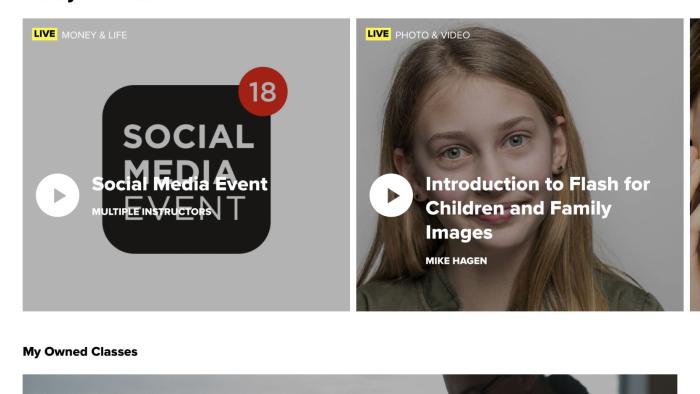
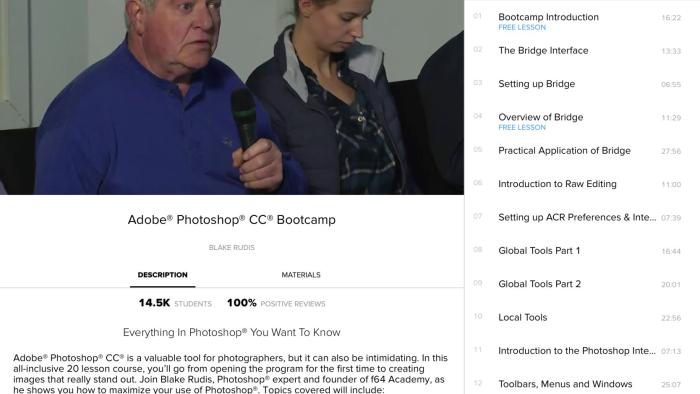
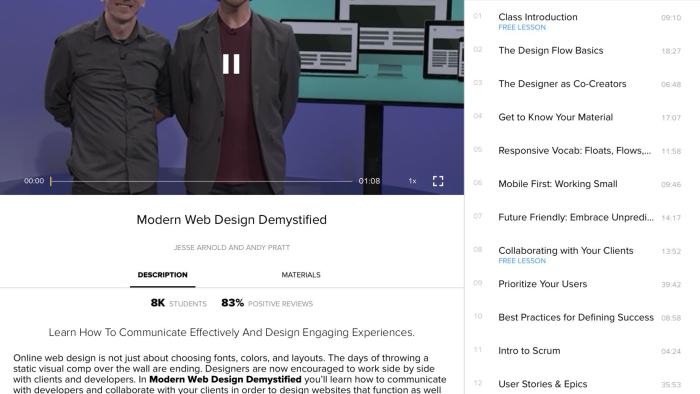
CREATIVELIVE is a collection of educational video courses. The content ranges from creative pursuits like photography, flower arranging, mixed-media collage, drawing, and music composition to lifestyle content such as business skills and personal growth. The app mirrors the content available on the website, although there are currently some discrepancies in course pricing between the two. There are three ways to access the videos: Watch a course as it is live-streamed on the app/site, use the free lesson you receive each day to work your way through a longer course, or buy the course in its entirety, which gives you unlimited access to the videos, including the ability to download for offline viewing, as well as access to materials lists and other support documents that aren't available for free viewers. Longer courses often have a few free lessons thrown in, and although they are usually short, they can help you decide if the style/level of the course is a good fit for you. Each individual lesson has a 30-second preview to aid in your decision-making. With the free daily lesson, it's useful to remember that you can skip around if you are only looking to build on certain skills. For example, you might already know the basics of Photoshop, allowing you to easily skip the first 20-30 lessons of the "Everything in Photoshop You Want to Know" course, but you may be most interested in the lesson on custom watermarks. You can start there with your daily freebie. Lastly, the courses vary dramatically in cost, but typically range from $9.99 to $199 or so. At the time of review, new users were able to choose from one of several courses to access for free as a welcome gift.
Is It Any Good?
While not intended for kids, this app has a great range of creative courses that can teach you a new skill or just inspire you to dabble in a new hobby. The CreativeLive app allows you to take their content on the go, which is useful for busy families. Of course, streaming video content quickly eats up data, so you'll either want to purchase courses for download, or turn off data access to the app. Although the terms of service specify use for those 18 and up, most of the creative videos are kid-friendly and would certainly be enjoyed by a tween or teen. Parents may even enjoy working through some of these courses with kids for some unique family time. For those who aren't familiar with the service and website in advance, the app does lack some basic guidance or even a FAQ to explain things like the free daily course (with 24-hour access) or how the streaming content works. The course costs are generally on par with what other sites and services charge, and the ability to access a free lesson a day is a great benefit, especially for those who don't have time to sit and consume longer content. Free access to the streaming content is also useful. Although you may not be able to follow along with a whole course, you could pick up some interesting tips and tricks with the time you do have. Overall, though CreativeLive isn't a particularly flashy app, it's got some solid educational content and enough freebies to draw you in.
Talk to Your Kids About ...
Families can talk about creative hobbies and learning new ones on CreativeLive. What are your favorite creative hobbies? Do you paint? Sew? Take pictures? Build things? Are there any new skills you'd like to learn?
Discuss in-app purchases and how/if kids can request purchases from an adult. What are the family rules?
App Details
- Devices : iPhone , iPod Touch , iPad
- Subjects : Arts : drawing , music , painting , photography , Hobbies : fashion
- Skills : Creativity : imagination , making new creations , Self-Direction : academic development , personal growth , self-reflection , work to achieve goals , Tech Skills : digital creation , using and applying technology
- Pricing structure : Free
- Release date : March 31, 2018
- Genre : Education
- Publisher : creativeLIVE, Inc.
- Version : 3.0.0
- Minimum software requirements : iOS 10.0 or later
- Last updated : June 19, 2019
Did we miss something on diversity?
Research shows a connection between kids' healthy self-esteem and positive portrayals in media. That's why we've added a new "Diverse Representations" section to our reviews that will be rolling out on an ongoing basis. You can help us help kids by
Suggest an Update
Common Sense Media's unbiased ratings are created by expert reviewers and aren't influenced by the product's creators or by any of our funders, affiliates, or partners.
See how we rate