







Common Sense Media Review
Walk and run mapper needs more guidance.
Parents Need to Know
Why Age 13+?
Any Positive Content?
Where to Download
Videos and Photos


Footpath Route Planner
Parent and Kid Reviews
What's It About?
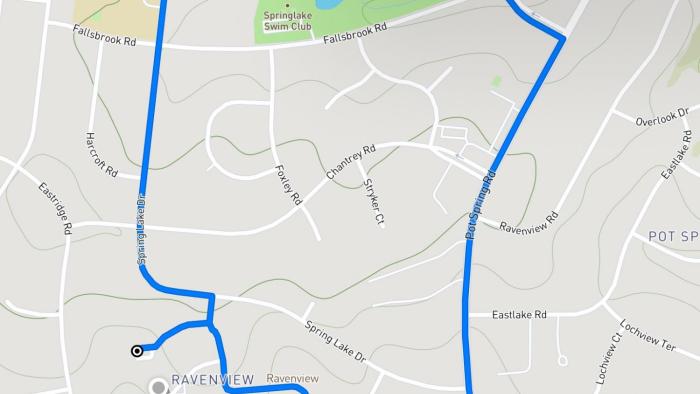
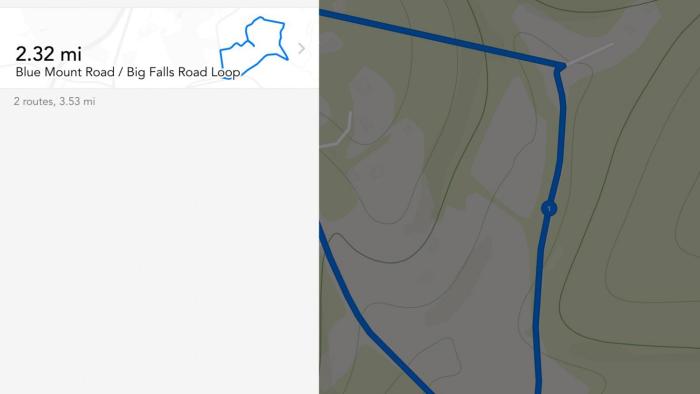
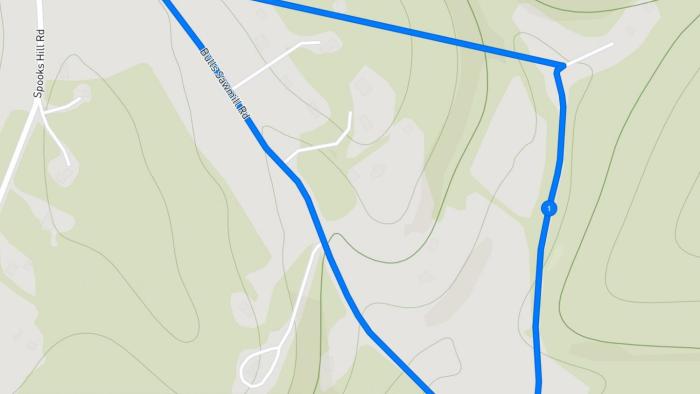
FOOTPATH ROUTE PLANNER is an app that lets kids plan routes directly on an interactive map. They can use their fingers or an Apple Pencil to draw a route on the map. The app snaps to roads and trails on the map to create a route. Mileage and elevation are displayed, and up to five routes can be saved with the free version. Routes can also be shared by sending links or aerial photos to friends' devices. If kids want to see or hear step-by-step directions, which is an important part of following the route, they have to either make an in-app purchase or send the route to Apple Maps or Google Maps. The paid version offers many additional features, including unlimited saved routes, the ability to export GPS files and use them with GPS devices, and the ability to track fitness by analyzing physical activity and exporting routes to Apple Health.
Is It Any Good?
What makes this app stand out is the interactive mapping tool for planning customized routes, but using it effectively could be challenging. Drawing on the map is not a perfect science. Kids might have trouble getting the routes they want, especially on devices with smaller screens. The editing tool helps, and zooming in for a detailed view of the roads and trails is an option. Sending routes to Apple Maps or Google Maps is key -- otherwise, kids have a route but no directions for following it. But this means that they'll either need to save and print the route ahead of time or use cellular service while following the route. There's a built-in tutorial, but it provides very little information about how to use all of the features in Footpath Route Planner. Tappable hints or a more detailed tutorial would be extremely helpful. It's also important to talk to teens about sharing their routes: They should share them only with family members or others they completely trust.
Talk to Your Kids About ...
Families can talk about how using Footpath Route Planner can help with fitness goals and motivation to get outside and get moving. How can kids use the app to meet mileage goals?
Talk about the importance of safety while exercising outside. Discuss age-appropriate rules about using a device while exercising, and make sure kids know the limits about where they can go.
App Details
- Devices : iPhone , iPod Touch , iPad
- Pricing structure : Free to try
- Release date : October 8, 2019
- Genre : Entertainment
- Publisher : Half Mile Labs LLC
- Version : 4.1.5
- Minimum software requirements : iOS 10.0 or later; watchOS 4.0 or later
- Last updated : January 10, 2020
Did we miss something on diversity?
Research shows a connection between kids' healthy self-esteem and positive portrayals in media. That's why we've added a new "Diverse Representations" section to our reviews that will be rolling out on an ongoing basis. You can help us help kids by
Suggest an Update
Common Sense Media's unbiased ratings are created by expert reviewers and aren't influenced by the product's creators or by any of our funders, affiliates, or partners.
See how we rate