







Common Sense Media Review
 By Patricia Monticello Kievlan
,
based on child development research. How do we rate?
By Patricia Monticello Kievlan
,
based on child development research. How do we rate?
Record, save, and share info seamlessly with Google Drive.
Parents Need to Know
Why Age 12+?
Any Positive Content?
Where to Download
Videos and Photos


Google Keep - Notes and lists
What's It About?
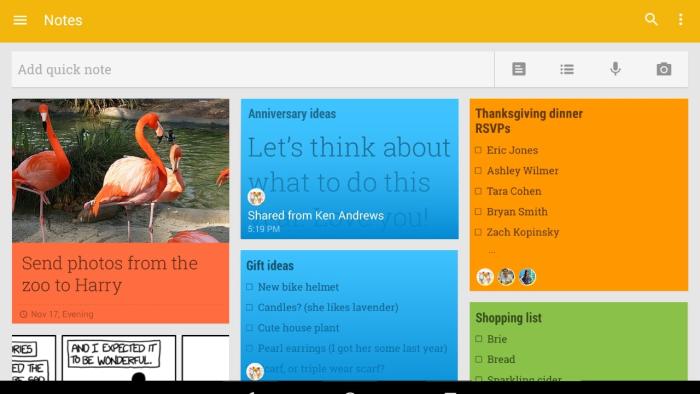
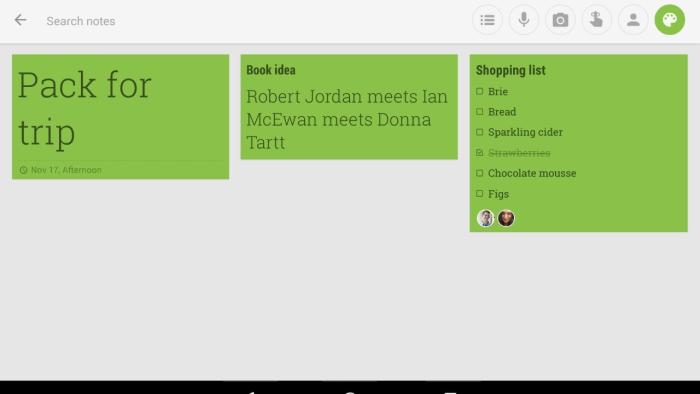
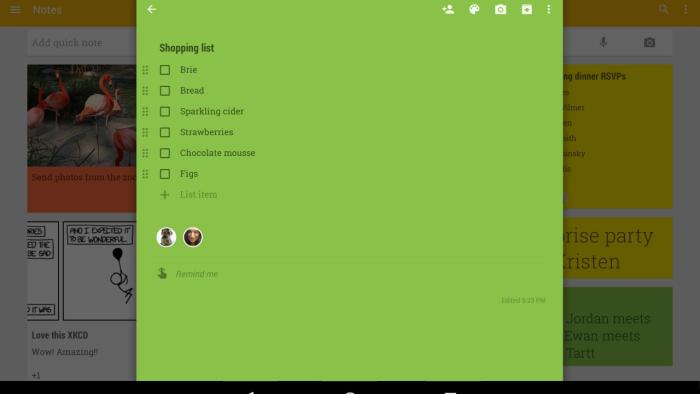
GOOGLE KEEP is an organizational tool for capturing, storing, and referencing information on the fly. Users can add a note by typing or recording their voices, and a speech-to-text feature automatically transcribes the text. Users also can create to-do lists and add images, either by taking a photo with the device's camera or by adding an image stored on the device. Each note has several customization options: Users can set a reminder for the note, change its color, tag it with a category (such as "home" or "inspiration"), share it (via email, other Google products, or third-party apps), or remove it from the screen by placing it in the archive or the trash. Each note appears as a tile in the Google Keep app or in a Web browser via Google Drive, and users can choose to browse their notes as a collage or in a single column. Several how-to notes appear when the tool launches for the first time, giving users a quick rundown of its features. Google Keep is available for Android devices, as a Chrome browser add-on, and on the Web through Google Drive. There is no app available for iOS, though some third-party developers have created tools that let iOS users access the service.
Is It Any Good?
If your digital life is highly tied to the Google environment, this is the note-taking, jot-it-down-quick tool for you and your family. The interface is gorgeous: It's convenient to see all your notes, images, and to-do lists at a glance as a series of colored tiles, and the design makes reviewing your grocery list almost like viewing a Pinterest board. Google Keep is deceptively simple; it's only when you continue to drill down that you discover remarkable features, such as the "grab text from image" feature and the location-based or time-based reminder features. Once you've made a note, you can change its color or add a label; either way, you can customize how you choose to stay organized. You also can copy your note within the tool or convert it instantly to a Google Doc. As you might expect from a Google product, the search features also are stellar: When you remove a note, it's archived by default, so it's still searchable and easily retrieved if you need it later, and you can search by text or by note color.
Though these features are exceptional and powerful, they're not instantly clear or intuitive, making this a better fit for adult users than for kids. The built-in notes that list tips for easy use are a big help, but younger users who haven't honed their organizational skills might miss the tool's powerful potential. However, with helpful scaffolding and the right devices in place, this also could be a great tool for kids who are learning how to get organized.
Talk to Your Kids About ...
Families can talk about the kinds of information we need to remember. What kind of information do we need to write down every day? What kinds of things happen every day that we might need to remind ourselves about?
Discuss how to make a list and how lists work. Help your kids make lists of things, such as the steps in their daily routines, the ingredients of their favorite meals, or the names of the members of their families.
Talk about using tools to stay organized. What kinds of things do you need to write down to be prepared at school? What sorts of things should you write down when you're recording your homework assignments?
App Details
- Devices : iPhone , iPod Touch , iPad , Android , Chromebook
- Skills : Self-Direction : set objectives , time management , work to achieve goals , working efficiently , Communication : conveying messages effectively , multiple forms of expression , Tech Skills : using and applying technology
- Pricing structure : Free
- Release date : November 18, 2014
- Genre : Productivity
- Publisher : Google
- Version : 2.2018.38303
- Minimum software requirements : Requires iOS 10.0 or later; Requires Android 4.0 or later.
- Last updated : November 11, 2020
Did we miss something on diversity?
Research shows a connection between kids' healthy self-esteem and positive portrayals in media. That's why we've added a new "Diverse Representations" section to our reviews that will be rolling out on an ongoing basis. You can help us help kids by
Suggest an Update
Common Sense Media's unbiased ratings are created by expert reviewers and aren't influenced by the product's creators or by any of our funders, affiliates, or partners.
See how we rate