







Common Sense Media Review
 By Keri Wilmot
,
based on child development research. How do we rate?
By Keri Wilmot
,
based on child development research. How do we rate?
Editing tool helps find spelling and grammar errors.
Parents Need to Know
Why Age 13+?
Any Positive Content?
Where to Download
Videos and Photos


Grammarly Keyboard
What's It About?
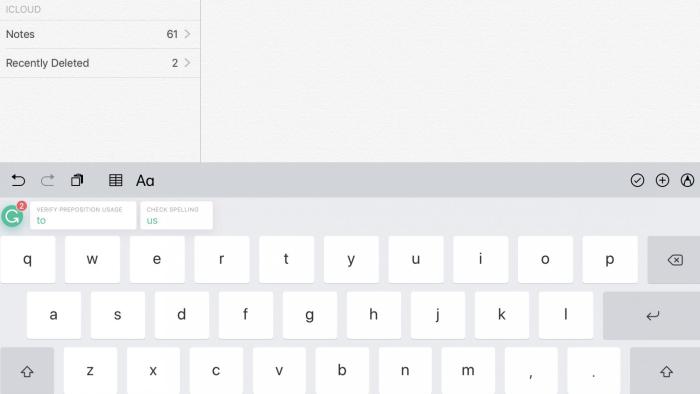
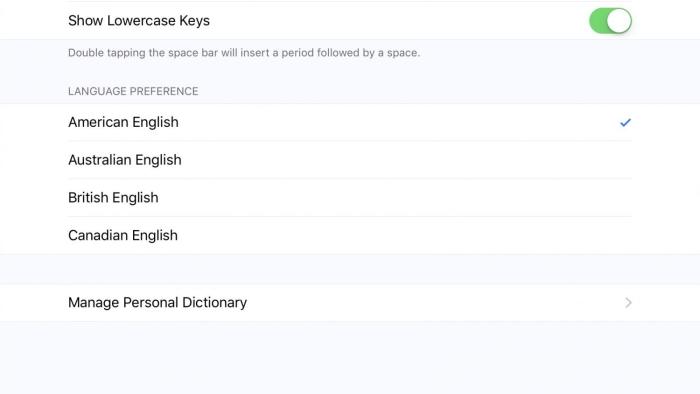
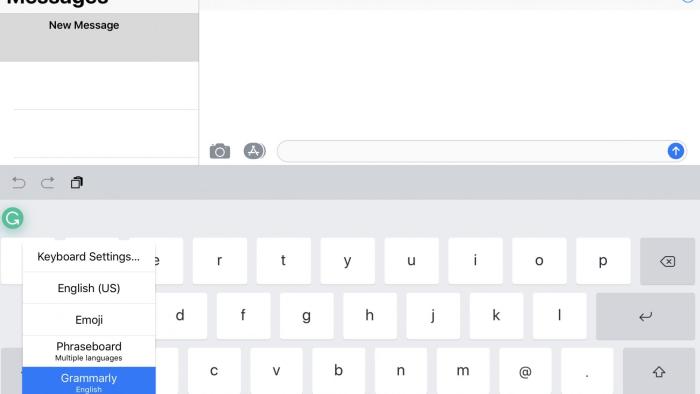
GRAMMARLY KEYBOARD is an app that offers users a way to edit their written messages, documents, and social posts. For those who have challenges with spelling, grammar, punctuation, capitalization, and other editing and proofreading challenges, this app is a helpful way to check work for accuracy before sending it. After installing the app and the on-screen keyboard, activate it by holding down the globe icon and then selecting it for use. The green Grammarly symbol will appear within text boxes when typing so you know it's activated. Settings users can turn on and off include auto-capitalization, auto-correction, Caps Lock, keyboard clicks, "." shortcuts, and showing lowercase keys. Though English is the only available language, users can choose between American English, Australian English, British English, and Canadian English. A personal dictionary allows names and other information to be inserted.
Is It Any Good?
This productivity app definitely offers a solution for kids and adults who want a safety net in place to check work for errors before they send it to others. The integration of Grammarly Keyboard into so many apps that are used for messaging, social media posts, and word processing documents is helpful to catch errors and fix them quickly. With the simple tap of the suggestion, it can be easy to improve the clarity and conciseness of messages, documents, and posts. However, this app should never be used as a replacement editor for anyone who does not have a basic understanding of grammar. It's easy to insert the suggestions offered. However, for those who are not aware of what these edits mean in the final work product, know that these suggestions may not always be the best choices.
Talk to Your Kids About ...
Families can talk about how apps like Grammarly Keyboard are helpful for proofreading and editing work, but sometimes offer suggestions that aren't the best option. How can you figure out what's a good suggestion and what's not?
Talk about how tech can help with learning. What are some other resources or apps kids can use to learn how to edit their work and build a foundation of grammar?
App Details
- Devices : iPhone , iPod Touch , iPad
- Subjects : Language & Reading : letter or word recognition , text analysis , writing , writing clearly
- Skills : Creativity : producing new content , Self-Direction : personal growth , self-reflection , working efficiently , Communication : conveying messages effectively , multiple forms of expression , Tech Skills : using and applying technology
- Pricing structure : Free
- Release date : August 8, 2017
- Genre : Productivity
- Topics : School ( High School , Middle School )
- Publisher : Grammarly, Inc
- Version : 1.0.21
- Minimum software requirements : iOS 9.3
- Last updated : September 30, 2025
Did we miss something on diversity?
Research shows a connection between kids' healthy self-esteem and positive portrayals in media. That's why we've added a new "Diverse Representations" section to our reviews that will be rolling out on an ongoing basis. You can help us help kids by
Suggest an Update
Common Sense Media's unbiased ratings are created by expert reviewers and aren't influenced by the product's creators or by any of our funders, affiliates, or partners.
See how we rate