







Common Sense Media Review
Competitive quiz-making fun -- when used as intended.
Parents Need to Know
Why Age 8+?
Any Positive Content?
Where to Download
Videos and Photos


Kahoot! Play & Create Quizzes
Parent and Kid Reviews
Based on 25 parent reviews
Parents say that the app is an engaging and interactive tool that turns quiz review sessions into competitive games, making learning more enjoyable for students. While it effectively promotes quick recall and understanding of material, many reviews caution that it lacks depth in fostering critical thinking, often focusing on speed over accuracy, and recommend that it be used alongside other teaching methods for deeper learning.
- engagement boost
- fun learning
- quick recall
- limited depth
- competitive environment
 Summarized with AI
Based on 24 kid reviews
Kids say that while the app is enjoyable for learning and can be a fun classroom tool, it falls short in comparison to competitors, often being described as generic and boring. Many users appreciate its ability to engage students and make learning interactive, but they also note issues with lag, login difficulties, and user-generated content that can sometimes be inappropriate.
- fun learning tool
- competitive nature
- user-generated content
- lag issues
- login difficulties
Summarized with AI
What's It About?
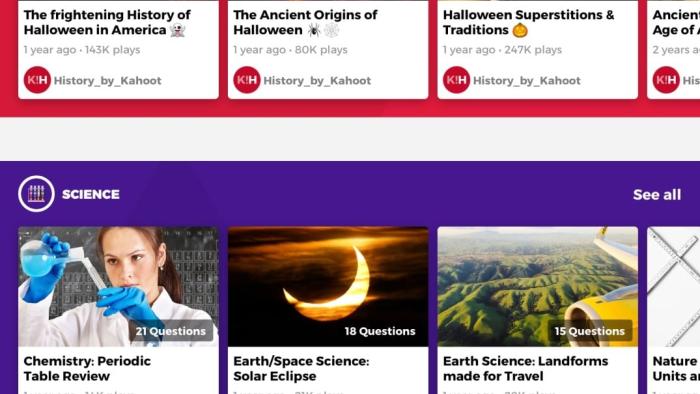
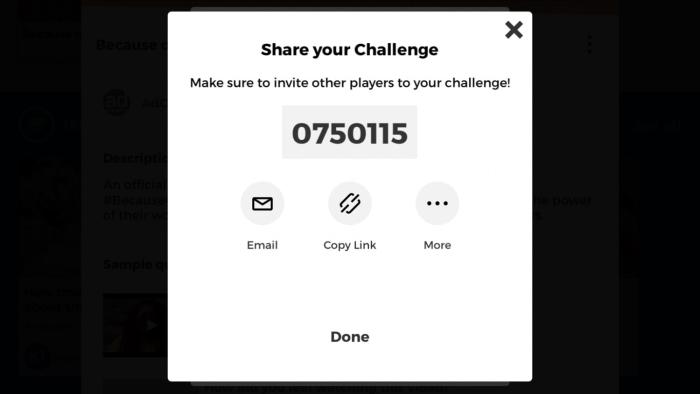
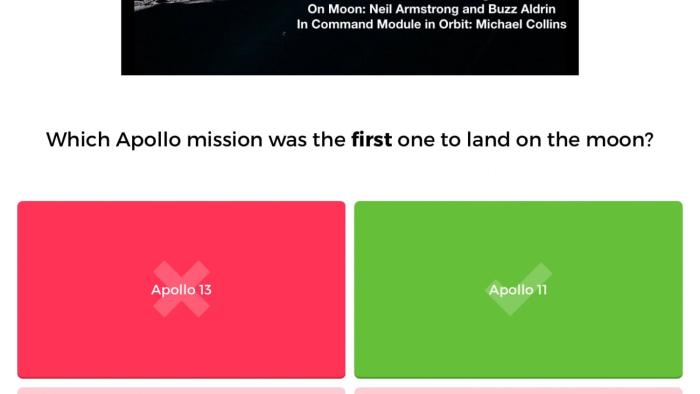
KAHOOT! PLAY & CREATE QUIZZES prompts new users to describe how they intend to play (as a student, as a teacher, for work, or socially) followed by a prompt that asks users their age. A home page allows for easy access to existing quizzes and polls. It also has a section for creating new ones from scratch. There are three main modes of play: Challenge, Host Live, and Single Player Practice. In Challenge mode, kids choose up to 100 participants. An account is not required to play, but users need to enter a computer-generated PIN to join a challenge. In Host Live mode, play takes place in real time and can be one on one or team vs. team. And in Single Player Practice, kids can pause and resume individual quizzes and view their past results.
Is It Any Good?
If you want a fun and competitive way for kids to learn or to test their knowledge about an unlimited range of topics, this app does the job. It's nice that kids can create their own quizzes and polls, empowering kids to focus on their interests. Creating team challenges teaches kids to work collaboratively, and adults can have a bit of fun too. It's also an excellent opportunity to foster friendly competition, which can help with social skills later in life such as empathy and resilience. Since some parents report seeing iffy content, it's important to keep an eye on who might be joining the quizzes with younger kids and what info kids can access -- or input.
Talk to Your Kids About ...
Families can talk about how they can use Kahoot! Play & Create Quizzes to create quizzes about some of their favorite topics and challenge each other. Ask kids which quizzes are their favorites and why.
Talk about how kids use the app at school. If they use it, does it help them learn? What are the challenges of using this kind of technology instead of traditional paper and pencil quizzes? What are the benefits?
Find quizzes about social-emotional learning that focus on life skills that you think kids might need help with. Work together on the quizzes and talk about the results.
App Details
- Devices : iPhone , iPod Touch , iPad , Android
- Skills : Thinking & Reasoning : applying information , asking questions , Creativity : producing new content , Collaboration : cooperation , respecting other viewpoints , teamwork , Tech Skills : digital creation
- Pricing structure : Free to try
- Release date : October 4, 2019
- Genre : Education
- Publisher : Kahoot! AS
- Version : 3.6.4
- Minimum software requirements : iOS 9.3 or later; Android 5.0 and up
- Last updated : April 16, 2026
Did we miss something on diversity?
Research shows a connection between kids' healthy self-esteem and positive portrayals in media. That's why we've added a new "Diverse Representations" section to our reviews that will be rolling out on an ongoing basis. You can help us help kids by
Suggest an Update
Common Sense Media's unbiased ratings are created by expert reviewers and aren't influenced by the product's creators or by any of our funders, affiliates, or partners.
See how we rate