







Common Sense Media Review
 By Amanda Bindel
,
based on child development research. How do we rate?
By Amanda Bindel
,
based on child development research. How do we rate?
Tik Tok wannabe with no privacy controls not for kids.
Parents Need to Know
Why Age 16+?
Any Positive Content?
Where to Download
Videos and Photos


Kwai - Video Social Network



What's It About?
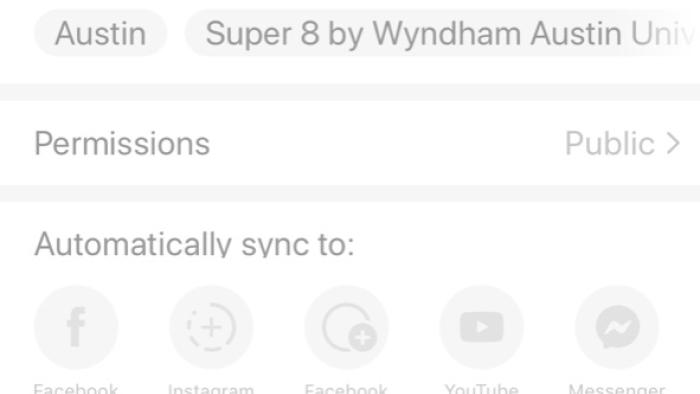
Teens can create short videos and photo edits to share publicly in KWAI - VIDEO SOCIAL NETWORK. They can add magical effects, beauty filters, and augmented reality to create fun images and catalog their creations with hashtags. They can also view other user's creations, comment on them, and share them with their own interpretation of a duet. When setting up an account, users share their location and can then view nearby users of the app. They can follow others users and direct message them through the app. Users can choose to post publicly, only for themselves, or for 48 hours, with posts disappearing after that time period.
Is It Any Good?
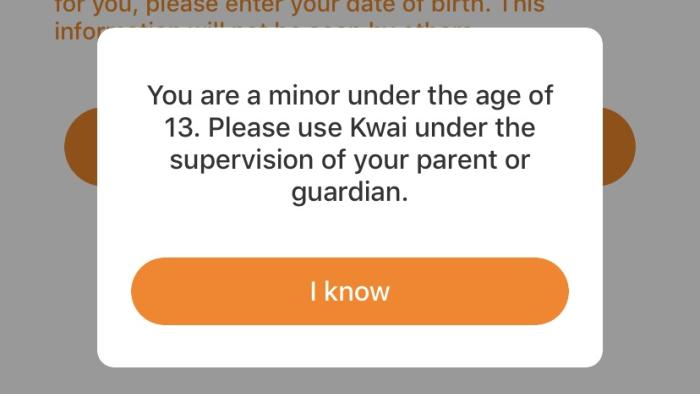
While this app offers fun features for video and photo creation, privacy concerns and lack of originality hold it back. The video-creation tools are almost identical, if inferior, to TikTok, and the photo editing is like Snapchat. Both of those apps have privacy concerns themselves, but Kwai - Video Social Network offers nothing more impressive. Since it does integrate with Instagram, teens could create videos and photos using Kwai to post only for themselves to view on Kwai and share with friends on Instagram, since at least it has more granular controls over who can see your content. But with the added complication of using your location, the lack of a friends-only account option, and the violation of the law in terms of blatantly allowing kids under 13 to sign up, this one is probably best to avoid.
Talk to Your Kids About ...
Families can talk about family rules for privacy and social networks before using Kwai - Video Social Network. Talk about when it's OK to share information and what kind of information should be kept private. What are your rules around your kid using the app? What can they post?.
Discuss with teens how they could use the creation aspects of the app without the social aspect, sharing creations on Instagram where they have more control over the audience.
App Details
- Device : Android
- Pricing structure : Free
- Release date : September 11, 2019
- Genre : Photo & Video
- Publisher : JOYO TECHNOLOGY PTE. LTD.
- Version : 2.24.5
- Minimum software requirements : Android 4.3 and up
- Last updated : November 1, 2022
Did we miss something on diversity?
Research shows a connection between kids' healthy self-esteem and positive portrayals in media. That's why we've added a new "Diverse Representations" section to our reviews that will be rolling out on an ongoing basis. You can help us help kids by
Suggest an Update
Common Sense Media's unbiased ratings are created by expert reviewers and aren't influenced by the product's creators or by any of our funders, affiliates, or partners.
See how we rate