







Common Sense Media Review
Wonderfully well-rounded virtual tutor; audio may distract.
Parents Need to Know
Why Age 6+?
Any Positive Content?
Where to Download
Videos and Photos


myBlee Math
Parent and Kid Reviews
What's It About?
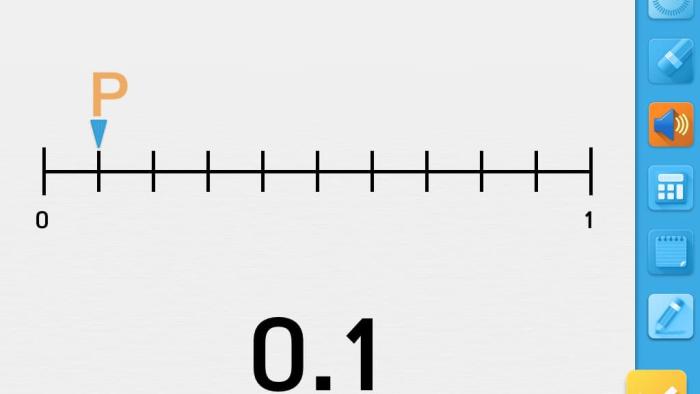
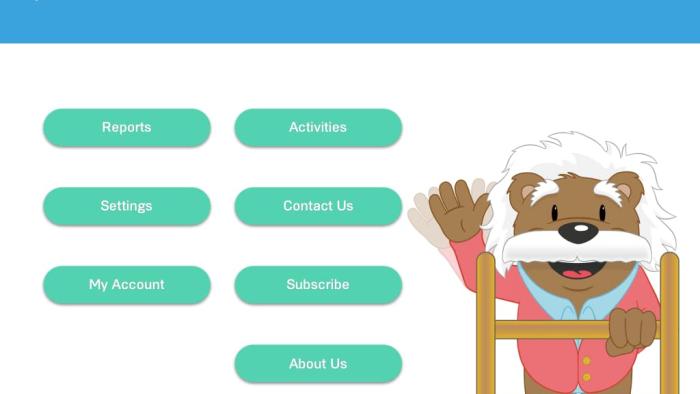
The first step of MYBLEE MATH requires users to set up an account. You'll need to enter an email address, a username, and a grade level. Then, kids can scroll through the lesson icons and select the one they wish to complete. Each lesson consists of six levels, with brief instruction followed by a set of questions. Kids can repeat lessons, but they have to complete a lesson to move on to the next one. After answering a question using either the pencil tool or a touchscreen feature, kids tap a check mark to find out whether they answered correctly. They receive positive reinforcement for correct answers and a detailed review for incorrect answers. A parent section includes access to progress reports, settings, account information, and a list of suggested lessons.
Is It Any Good?
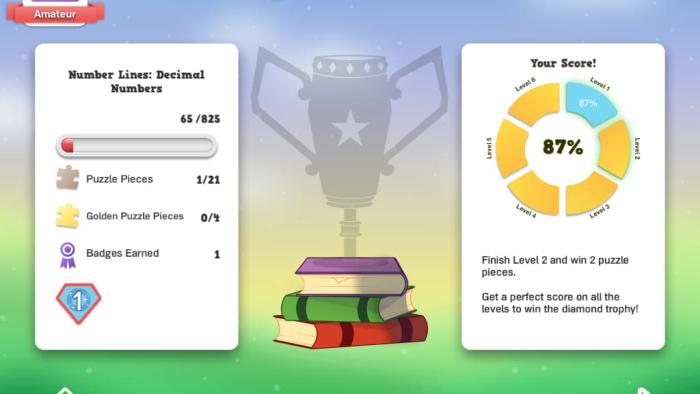
A combination of instruction and practice creates a comprehensive learning tool, but the fees for more access and choppy audio are drawbacks. The progress-tracking system and the instant feedback are two of the best features. There are plenty of tutorials available to help parents and kids get started, and all the information and features are well organized and easy to navigate. Kids will be motivated to earn puzzle pieces and awards, and parents will find it a snap to monitor progress and provide suggestions and encouragement. Though the sometimes-choppy, computer-generated audio instruction could be a distraction for some kids, and the subscription fees are relatively high, you can try it for free to see if it's a good fit for your kid.
Talk to Your Kids About ...
Families can talk about the importance of math in everyday life. For example, knowing how to add is important when buying items at the store. Knowing about measurement is important when you want to design something.
After kids finish a lesson, have them summarize what they learned by writing a few of their own quiz questions.
App Details
- Devices : iPhone , iPod Touch , iPad
- Subjects : Math : addition , arithmetic , division , fractions , geometry , graphing , measurement , multiplication , numbers , shapes , subtraction
- Skills : Thinking & Reasoning : applying information , memorization , thinking critically , Self-Direction : academic development , working efficiently
- Pricing structure : Free to try
- Release date : January 9, 2015
- Genre : Education
- Publisher : MyBlee
- Version : 3.4.1
- Minimum software requirements : iOS 6.0 or later
- Last updated : August 10, 2021
Did we miss something on diversity?
Research shows a connection between kids' healthy self-esteem and positive portrayals in media. That's why we've added a new "Diverse Representations" section to our reviews that will be rolling out on an ongoing basis. You can help us help kids by
Suggest an Update
Common Sense Media's unbiased ratings are created by expert reviewers and aren't influenced by the product's creators or by any of our funders, affiliates, or partners.
See how we rate