






Common Sense Media Review
 By Emily Pohlonski
,
based on child development research. How do we rate?
By Emily Pohlonski
,
based on child development research. How do we rate?
Less-than-helpful tool for math, science, and English.
Parents Need to Know
Why Age 12+?
Any Positive Content?
Where to Download
Videos and Photos


Oh My Homework
Privacy Rating Warning
Privacy Rating
Our expert evaluators create our privacy ratings. The ratings are designed to help you understand how apps use your data for commercial purposes.
Pass
Meets our minimum requirements for privacy and security practices.
Warning
Does not meet our recommendations for privacy and security practices.
Fail
Does not have a privacy policy and should not be used.
Privacy Rating
Our expert evaluators create our privacy ratings. The ratings are designed to help you understand how apps use your data for commercial purposes.
Pass
Meets our minimum requirements for privacy and security practices.
Warning
Does not meet our recommendations for privacy and security practices.
Fail
Does not have a privacy policy and should not be used.
What's It About?
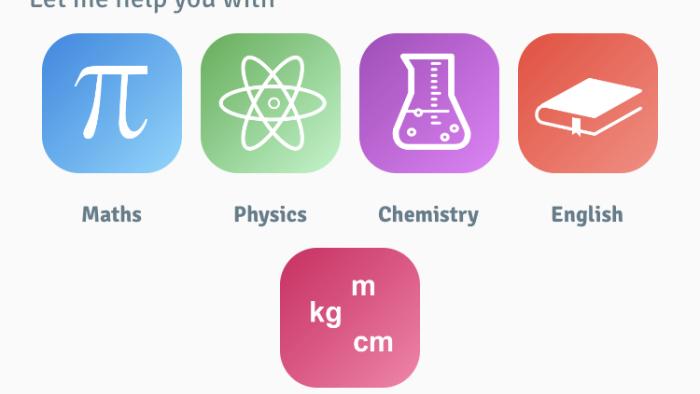
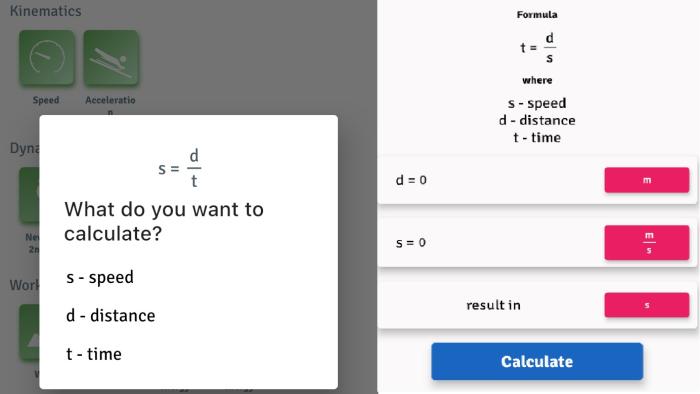
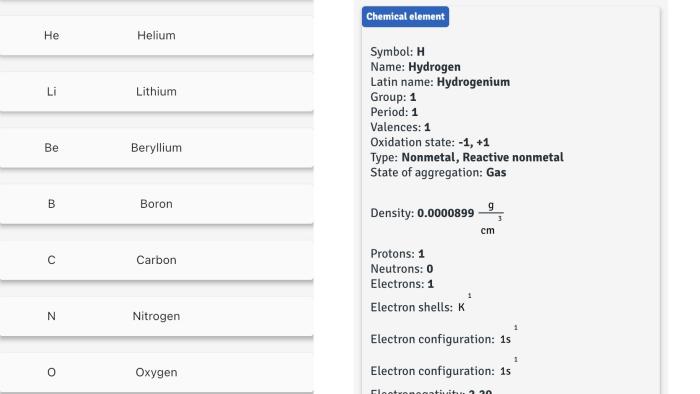
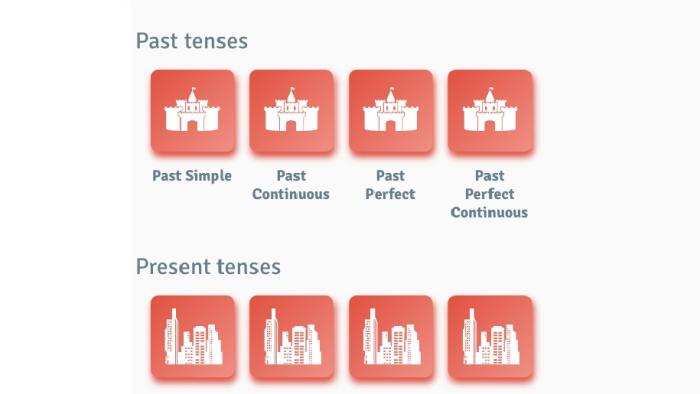
OH MY HOMEWORK provides a series of tools that scaffold learning for kids. The English menu provides examples that help kids make sense of conventions like past and present tense. In the physics menu kids can plug in a variety of homework problems around topics including kinematics, dynamics, work, power, and energy. The chemistry menu lists each of the elements in the periodic table. Kids can select an element and the app lists details such as the number of valence electrons and the oxidation state for each element.
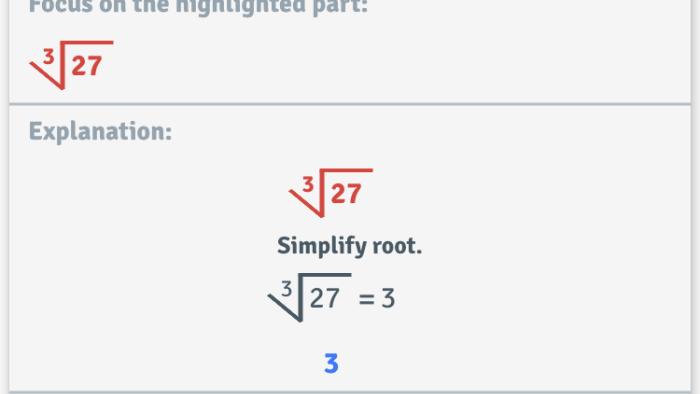
There are a number of different math tools as well. One calculator helps kids add, subtract, multiply, and divide fractions. Kids can also get help solving problems with exponents, roots, area, perimeter, and volume.
Is It Any Good?
Each set of tools in the app slightly different, but some some are confusing and none really help kids learn. Sometimes the interface is hard to navigate. For example, the variable (x) symbol is the same as the multiplication symbol, so it takes a little while to figure out how to use the quadratic calculator. The quadratic calculator will create the graph for students. However, it may not show all the steps they need to help them understand how to graph the function themselves. If kids need to factor before graphing, the quadratic tool does not provide support for that work.
Unfortunately, Oh My Homework also does some of the thinking for kids. In speed problems users are first asked, "What do you want to calculate?" If a user selects time, the tool rearranges the equation to solve for it. Additionally, it doesn't show kids steps for rearranging an equation. In most physics classes students are expected to do this work themselves. For true homework help, other tools like Desmos, can support kids with their math and science homework while also providing opportunities for collaboration with a teacher and other students. And even apps like Socratic, that could potentially lead to cheating, have some learning resources included. So, it's best to skip this one and look elsewhere.
Talk to Your Kids About ...
Families can talk about how to use apps like Oh My Homework. In what way can you use a homework help app that will help you learn the material?
Talk about different ways to learn. Model lifelong learning by trying to figure something new out yourself.
Read our advice about how to raise a lifelong learner.
App Details
- Devices : iPhone , iPod Touch , iPad , Mac , Android
- Subjects : Language & Reading : writing , Math : equations , fractions , functions , Science : chemistry , physics
- Skills : Thinking & Reasoning : problem solving
- Pricing structure : Free
- Release date : March 1, 2021
- Genre : Education
- Topics : STEM
- Publisher : Klementewicz Development
- Version : Version 1.0.5
- Minimum software requirements : iOS 9.0 or later; Android 4.1 and up
- Last updated : September 30, 2025
Did we miss something on diversity?
Research shows a connection between kids' healthy self-esteem and positive portrayals in media. That's why we've added a new "Diverse Representations" section to our reviews that will be rolling out on an ongoing basis. You can help us help kids by
Suggest an Update
Common Sense Media's unbiased ratings are created by expert reviewers and aren't influenced by the product's creators or by any of our funders, affiliates, or partners.
See how we rate