





Common Sense Media Review
 By Ashley Kemper
,
based on child development research. How do we rate?
By Ashley Kemper
,
based on child development research. How do we rate?
Free text-recognition tool captures and reads print aloud.
Parents Need to Know
Why Age 8+?
Any Positive Content?
Where to Download
Videos and Photos


Prizmo Go - Instant Text Capture


Parent and Kid Reviews
Privacy Rating Warning
Privacy Rating
Our expert evaluators create our privacy ratings. The ratings are designed to help you understand how apps use your data for commercial purposes.
Pass
Meets our minimum requirements for privacy and security practices.
Warning
Does not meet our recommendations for privacy and security practices.
Fail
Does not have a privacy policy and should not be used.
Privacy Rating
Our expert evaluators create our privacy ratings. The ratings are designed to help you understand how apps use your data for commercial purposes.
Pass
Meets our minimum requirements for privacy and security practices.
Warning
Does not meet our recommendations for privacy and security practices.
Fail
Does not have a privacy policy and should not be used.
What's It About?
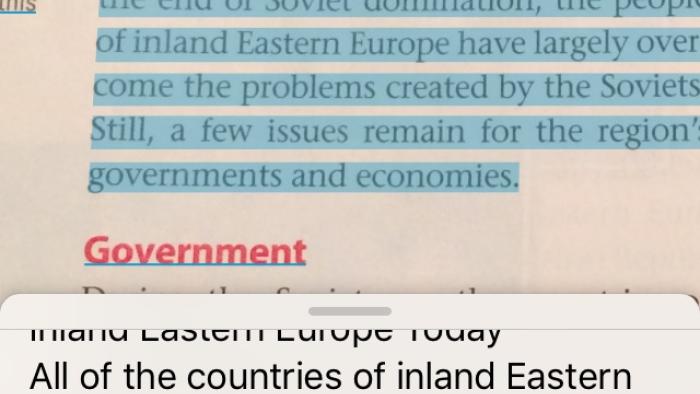
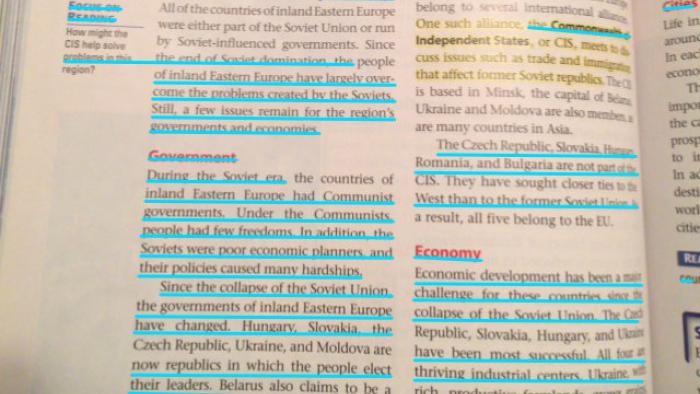
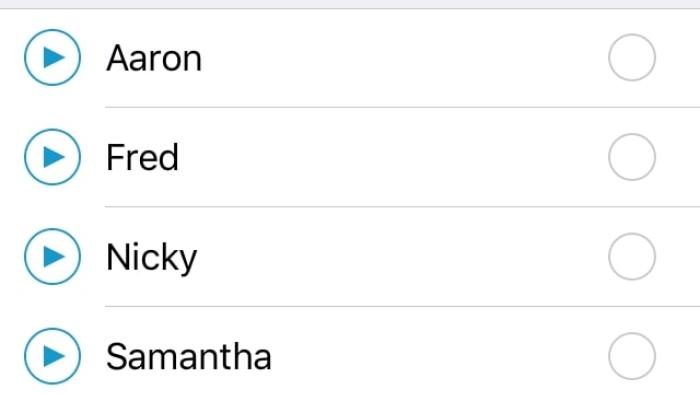
Kids use PRIZMO GO - INSTANT TEXT CAPTURE by taking a snapshot of a page of text, clicking on the blue highlighted text, and pressing Play to hear it read aloud. Users can adjust the volume, speed, and tone of the computerized voice, or use the settings gear to change the voice altogether. Once they've finished listening, kids can share or copy text into another tool to annotate it or use it in formal writing, if they desire. In addition to scanning real-life pages of text, kids can take a screenshot of text in a browser or other app and upload it to use the same features. In-app purchases let users buy more access and features.
Is It Any Good?
For a free tool that translates an image into text, it's incredible: It does one job, and it does it well. There are no extra, built-in features in Prizmo Go - Instant Text Capture (defining words, annotating text, etc.) beyond reading text aloud. The voice, though computerized, does well with phrasing and following punctuation guides within text. Additionally, it highlights text word-by-word as it reads, reinforcing fluency skills.
Kids should use a close-up version of text when possible, as some of the lines aren't recognizable as text with a wider view. This tool might be difficult for younger users who are still learning to read or who struggle with auditory processing, as some of the words can get mixed up in translating from an image to text. Overall, however, it's an accessible app that can help kids who struggle with printed material.
Talk to Your Kids About ...
Families can talk about how people use technology to help them be their best selves in everyday life. Some people use a mobile device to capture images of things they don't want to forget, while others use their digital calendar to keep up with important dates. Apps like Prizmo Go - Instant Text Capture can help others hear content that's important to know.
Families can also talk about how learning to read is a lifelong lesson. Ask kids how they feel about their reading ability, and share with them what parts of reading are difficult for you. Remember to highlight that we are all still learning and should take pride in growing our brains!
App Details
- Devices : iPhone , iPod Touch , iPad
- Subjects : Language & Reading : reading
- Skills : Self-Direction : academic development
- Pricing structure : Free to try (optional in-app purchases)
- Release date : July 13, 2017
- Genre : Productivity
- Publisher : Creaceed SPRL
- Version : 1.0.3
- Minimum software requirements : 10.0
- Last updated : October 20, 2020
Did we miss something on diversity?
Research shows a connection between kids' healthy self-esteem and positive portrayals in media. That's why we've added a new "Diverse Representations" section to our reviews that will be rolling out on an ongoing basis. You can help us help kids by
Suggest an Update
Common Sense Media's unbiased ratings are created by expert reviewers and aren't influenced by the product's creators or by any of our funders, affiliates, or partners.
See how we rate