







Common Sense Media Review
 By Mieke VanderBorght
,
based on child development research. How do we rate?
By Mieke VanderBorght
,
based on child development research. How do we rate?
AR math adventures are fun but missing important features.
Parents Need to Know
Why Age 7+?
Any Positive Content?
Where to Download
Videos and Photos


Redwood AR

Parent and Kid Reviews
What's It About?
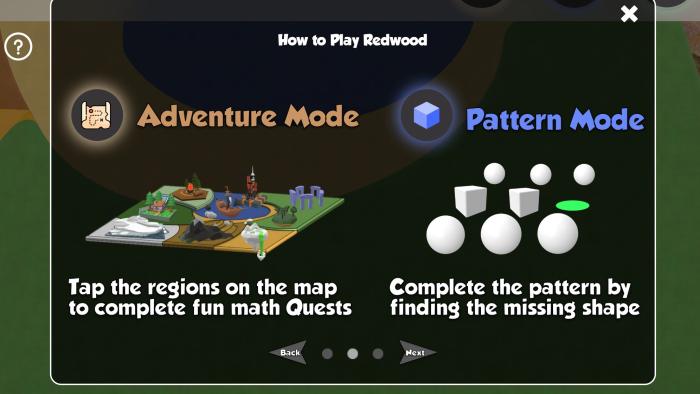
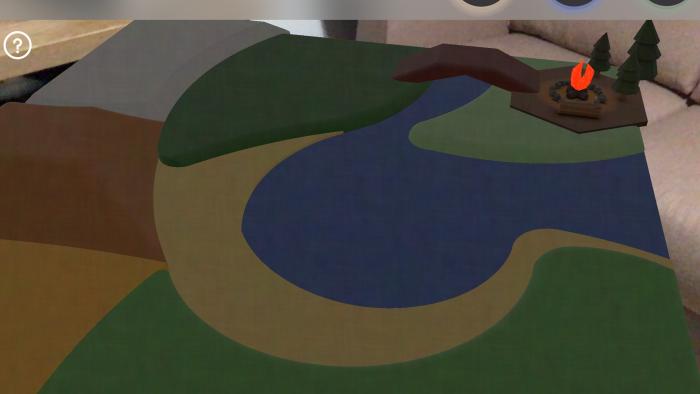
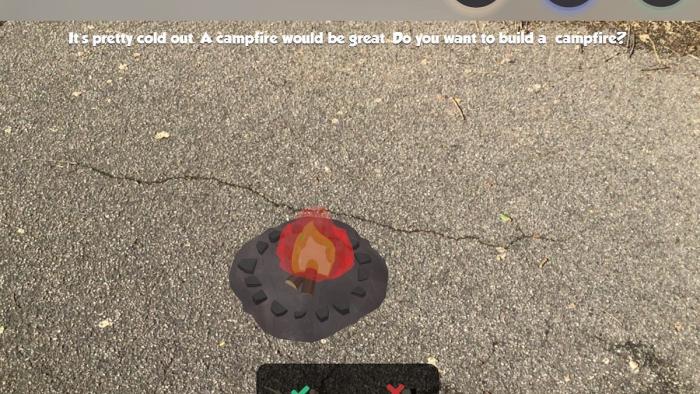
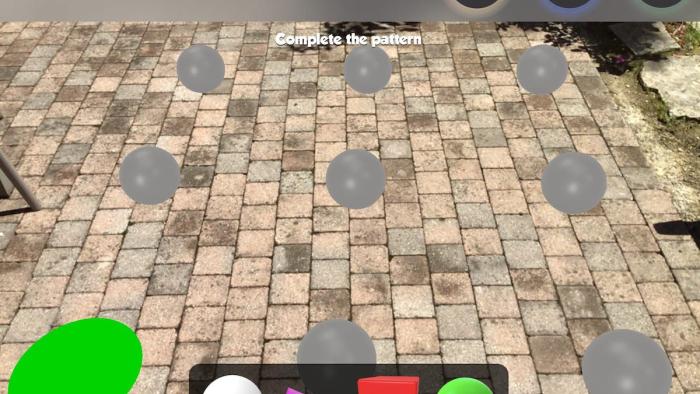
Grant access to your device's camera and slowly pan a flat space in your environment to place the graphics in REDWOOD AR. Once placed, tap on the campfire to start the first math adventure. Text-based directions guide kids to move their device and discover all the 3D graphics around them as they count or tap to gather what they see. Later questions introduce other concepts like multiplication and basic facts about animals and nature. Complete a quest to unlock the next world on the map and earn "hydro" points. At any point, tap the cube icon to play in pattern mode and choose which shape completes a 3D pattern. The backpack icon takes kids to an inventory of 3D objects they can unlock by spending points they've earned.
Is It Any Good?
Fun augmented reality activities do a nice job of sneaking in math concepts, but the overall experience has some rough edges to smooth out. Seeing those 3D images appear all around is certainly cool, and will likely engage and excite kids. Though Redwood AR's graphics look great, they're missing some controls, like the ability to resize them to fit your space better. The quests include a mix of questions about animals, nature, and different math concepts, which brings nice variety but also makes it hard to place in terms of age. For example, in a single quest, kids may get questions about identifying a color, counting by twos, and doing multiplication with large numbers. There's also no feedback or way for kids to learn from mistakes. The patterns game nicely uses AR to encourage 3D spatial awareness, but isn't explained very well and it may take kids a while to figure out exactly what they're supposed to do. Overall, Redwood AR has potential to inspire some kids to explore math in a new way, but could use some improvements to truly shine.
Talk to Your Kids About ...
Families can talk about what it's like to use augmented reality apps like Redwood AR. Do the 3D images make the games more exciting? Why or why not?
Help your kids see math in the world around them. Count household one by one or by groups, explore multiplication while scaling up a recipe, or look for patterns in nature.
Find more ways to involve your device's camera in your kids' learning adventures. A camera can add an interesting twist to a math-related scavenger hunt, for example.
App Details
- Devices : iPhone , iPod Touch , iPad
- Subjects : Math : counting , multiplication , patterns , subtraction , Science : animals
- Skills : Thinking & Reasoning : part-whole relationships
- Pricing structure : Free
- Release date : April 21, 2021
- Genre : Education
- Topics : STEM
- Publisher : Edward Radion
- Version : 0.1.2
- Minimum software requirements : iOS 13.0 or later
- Last updated : September 30, 2025
Did we miss something on diversity?
Research shows a connection between kids' healthy self-esteem and positive portrayals in media. That's why we've added a new "Diverse Representations" section to our reviews that will be rolling out on an ongoing basis. You can help us help kids by
Suggest an Update
Common Sense Media's unbiased ratings are created by expert reviewers and aren't influenced by the product's creators or by any of our funders, affiliates, or partners.
See how we rate