







Common Sense Media Review
 By Amanda Bindel
,
based on child development research. How do we rate?
By Amanda Bindel
,
based on child development research. How do we rate?
Cool study aid syncs written notes with recorded audio.
Parents Need to Know
Why Age 14+?
Any Positive Content?
Where to Download
Videos and Photos


SoundNote


Parent and Kid Reviews
What's It About?
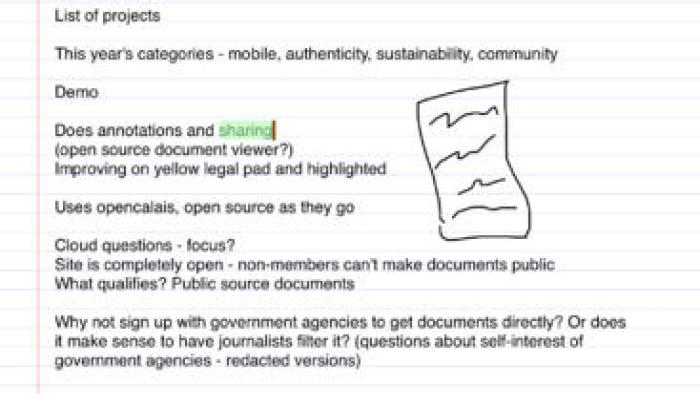
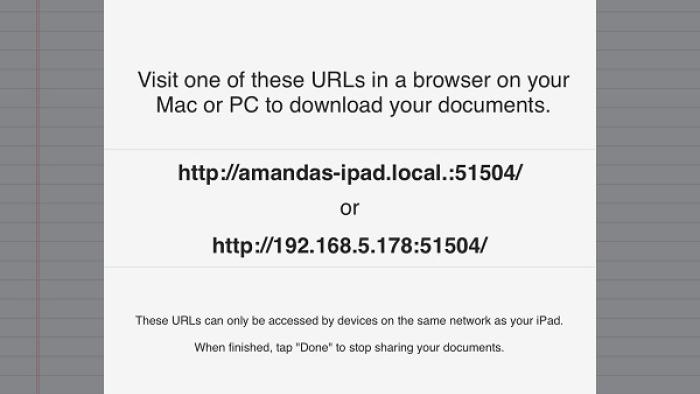
SOUNDNOTE doesn't include any written instructions or even a start screen. It opens right up into a blank page for note-taking. Teens title their note page, hit the red record button, and begin typing notes or select the pen tool to draw or write notes. While the speaker is talking, teens take notes and the device records the audio. Teens simply hit pause when done, and the notes save automatically with the title. When replaying the audio, teens can tap a word on their notes and the audio will automatically jump to the place when that note was written. Teens can share their notes and audio by email, save them to Dropbox, or access them via another device on the network through a URL. To listen to the audio on a Mac computer, teens will need to download a free SoundNote reader.
Is It Any Good?
SoundNote is a tool that showcases how cool technology can be. It records a lecture and knows which notes were written down at each point in that lecture, making it easy to review the notes and listen to specific parts of the lecture. The sparse design keeps the focus on the meat of the app: recording audio and taking notes. The search function for the saved documents makes it easy to find notes, even when many have been saved. Teens can easily share class notes with classmates over email. The audio picks up well from across a room, though it's not the quality of a professional recording.
Talk to Your Kids About ...
Talk about effective note-taking and study techniques to help your teen figure out what works best for him or her.
The app's description mentions falling asleep during a lecture. Why do some teens fall asleep during class? What are some techniques tired (or bored) teens can use to stay focused and alert during class?
App Details
- Device : iPad
- Subjects : Language & Reading : using supporting evidence , writing
- Skills : Thinking & Reasoning : collecting data , thinking critically , Self-Direction : academic development , self-reflection , time management , working efficiently , Communication : listening , Tech Skills : using and applying technology
- Pricing structure : Paid
- Release date : October 25, 2013
- Genre : Productivity
- Publisher : David Estes
- Version : 2.5.1
- Minimum software requirements : iOS 6.1 or later
- Last updated : November 11, 2020
Did we miss something on diversity?
Research shows a connection between kids' healthy self-esteem and positive portrayals in media. That's why we've added a new "Diverse Representations" section to our reviews that will be rolling out on an ongoing basis. You can help us help kids by
Suggest an Update
Common Sense Media's unbiased ratings are created by expert reviewers and aren't influenced by the product's creators or by any of our funders, affiliates, or partners.
See how we rate