







Common Sense Media Review
 By Jenny Bristol
,
based on child development research. How do we rate?
By Jenny Bristol
,
based on child development research. How do we rate?
Stellar sandbox tool drives kids to improve designs.
Parents Need to Know
Why Age 6+?
Any Positive Content?
Where to Download
Videos and Photos


The Robot Factory by Tinybop
What's It About?
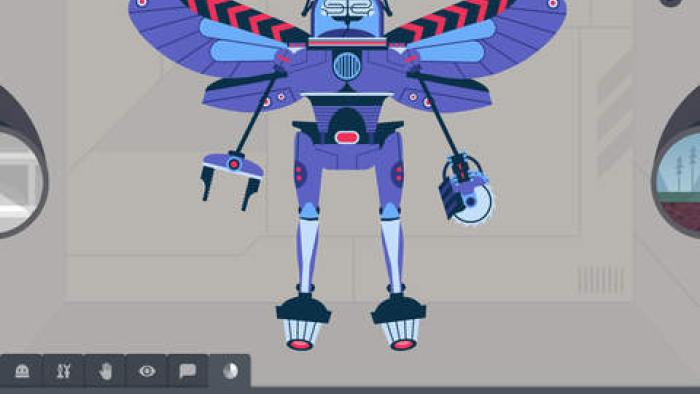
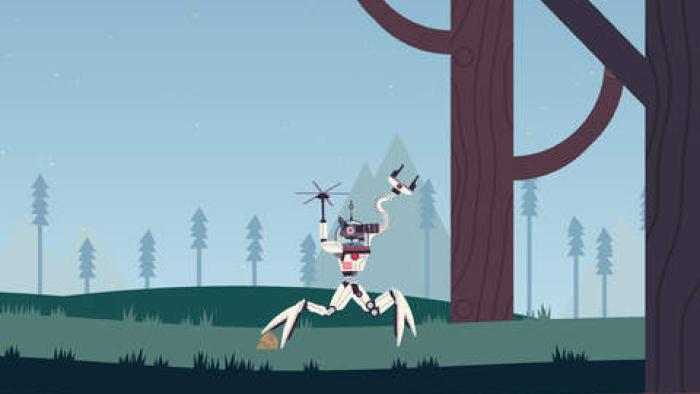
In THE ROBOT FACTORY BY TINYBOP kids begin by naming and personalizing a profile for themselves, and then they can immediately design a robot. They choose from dozens of parts including a torso, a head, arms and legs, hands, and facial features. There are few restrictions about where to attach body parts. Using their device's microphone, kids also can record three sounds for the robot and can choose the robot's color scheme. Save the robot in the collection, and then take it out into the world to test how well the robot does on a variety of terrain. Kids then can edit their robot or create a new one, playing with them as desired.
Is It Any Good?
Though based on a simple concept, this app will capture and keep a kid's attention because it provides a combination of creation, free play, testing, and revision. The baked-in observation and problem solving gives The Robot Factory by Tinybop more depth than other robot-creation apps and lets kids tinker and customize with a purpose in mind. Since there can be more than one robot-building profile, and even more than one parent profile, this app offers plenty for a family of any size. Since kids also can save images of their robots, it's easy to share their creations with friends and family, which can spark discussion with friends about robot design. It's possible that some kids will look for specific goals or a way to win the game, so it might be helpful to explain the overall premise before a kid starts playing. A brief set of audio instructions might help kids catch on faster.
Talk to Your Kids About ...
Families can talk about which features make a good robot for different terrain, arguing the pros and cons for each feature.
Kids can extend their learning into the real world by drawing pictures of robots they would want to build or even by building their ideas with toys or found materials.
App Details
- Devices : iPhone , iPod Touch , iPad
- Subjects : Science : engineering
- Skills : Thinking & Reasoning : analyzing evidence , applying information , collecting data , decision-making , investigation , prediction , problem solving , Creativity : innovation , Tech Skills : digital creation
- Pricing structure : Paid
- Release date : April 7, 2015
- Genre : Education
- Topics : Robots , STEM
- Publisher : Tinybop
- Version : 1.1.9
- Minimum software requirements : Requires iOS 8.0 or later.
- Last updated : October 1, 2025
Did we miss something on diversity?
Research shows a connection between kids' healthy self-esteem and positive portrayals in media. That's why we've added a new "Diverse Representations" section to our reviews that will be rolling out on an ongoing basis. You can help us help kids by
Suggest an Update
Common Sense Media's unbiased ratings are created by expert reviewers and aren't influenced by the product's creators or by any of our funders, affiliates, or partners.
See how we rate