







Common Sense Media Review
 By V W
,
based on child development research. How do we rate?
By V W
,
based on child development research. How do we rate?
Kids can create and narrate their own photo stories.
Parents Need to Know
Why Age 6+?
Any Positive Content?
Where to Download
Videos and Photos


The Story Creator - Easy Story Book Maker for Kids
What's It About?
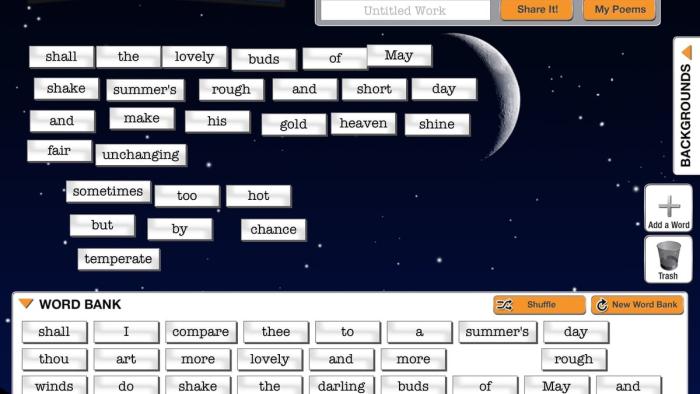
Users can choose from a series of icons to get started; they allow you to add photos, add a fresh page, add text or audio, and delete. If kids use the text box to add sentences the app automatically indicates a misspelled word either by offering a "predicted" word or underlining in red. Kids can also write by hand or draw pictures using four crayon colors. For each page, you can choose photos from your own device's library, or other storage sites like Flickr or Picasa. When you're finished with a story, you can save it. To retrieve other stries, tap the house icon at the top left of the screen and choose the one you want to read. If your child has added vocal narration, each word in the text will be highlighted.
Is It Any Good?
This free app has a really simple interface, making it easy to use for both parents and kids (or the both working together to create stories). It does allow kids with learning difficulties to choose between hand writing stories or typing words, and the auto-correct feature is handy. The ability to add photos helps kids who need visual aids and the audio component is great for kids who may have difficulty with expressive language or fluency.
Talk to Your Kids About ...
Help kids who may need to write a social story about a new event or transition.
Use a stylus or external keyboard for kids who struggle with handwriting.
App Details
- Device : iPad
- Subjects : Language & Reading : presenting to others , reading , storytelling , writing
- Skills : Creativity : imagination , making new creations , producing new content , Emotional Development : labeling feelings , self-awareness
- Pricing structure : Free
- Release date : November 15, 2013
- Genre : Education
- Publisher : Innovative Mobile Apps
- Version : 4.0
- Minimum software requirements : iOS.6 or later
- Last updated : November 11, 2020
Did we miss something on diversity?
Research shows a connection between kids' healthy self-esteem and positive portrayals in media. That's why we've added a new "Diverse Representations" section to our reviews that will be rolling out on an ongoing basis. You can help us help kids by
Suggest an Update
Common Sense Media's unbiased ratings are created by expert reviewers and aren't influenced by the product's creators or by any of our funders, affiliates, or partners.
See how we rate