

Parents' Guide to Dragon NaturallySpeaking Home 12
Dragon NaturallySpeaking Home 12 Poster Image
Common Sense Media Review

By ADK AccessAbility , based on child development research. How do we rate?

age 8+

Talk instead of type with stellar speech-to-text tool.

Parents Need to Know

Why Age 8+?

Any Positive Content?

Parent and Kid Reviews

What's It About?

\
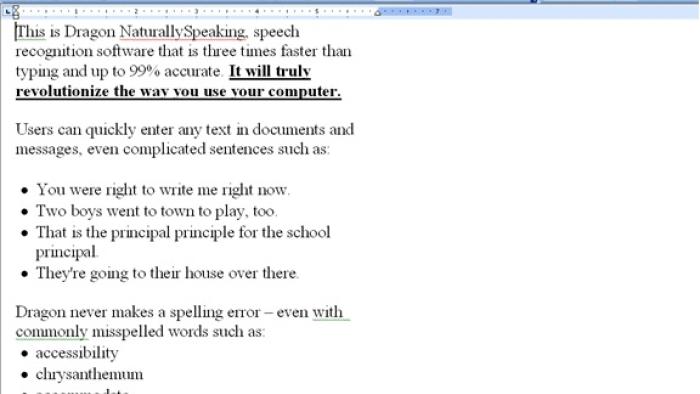
DRAGON NATURALLYSPEAKING (DNS) is a speech-to-text program that lets kids interact with the computer by voice. They can dictate or change documents, spreadsheets, and emails or browse online, often faster than by using the keyboard and mouse. Also, kids who have difficulty with the keyboard or mouse can completely control the computer via voice.
\

\ \

\ \

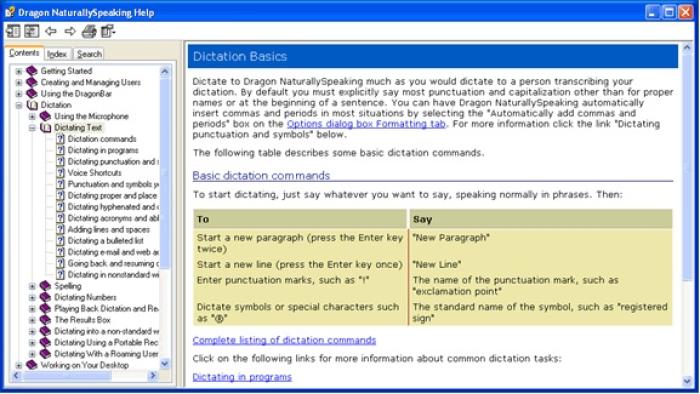
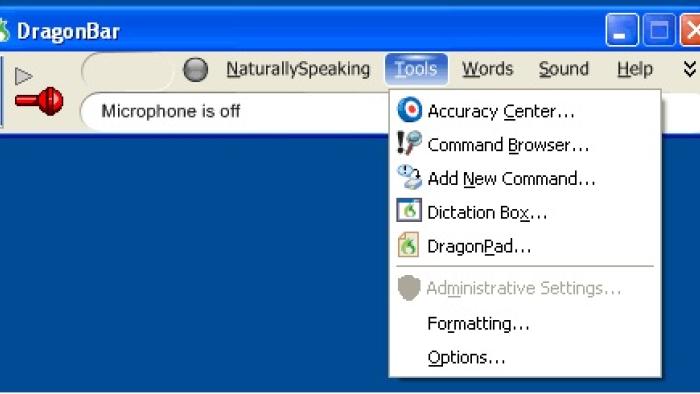
It's software, so you'll install DNS onto your computer, then follow instructions for setup. Since we all speak uniquely, DNS asks kids to read passages into the microphone to "train" it to their voices. Recognition also continues to improve over time but only if corrected every time the software makes a mistake. There are training materials available including an online tutorial, videos, a sidebar with commands, a print manual, a workbook, and "cheat sheets."

Is It Any Good?

Our review:
Parents say : Not yet rated
Kids say : Not yet rated
DNS is very good and the most popular voice-recognition program available. It's a very powerful program that does require careful training and use in an environment that controls ambient noise for best results. It's a really valuable tool for any child having difficulty using a traditional keyboard or mouse, and it could also be of use to kids with learning disabilities.
The controls work very well. DNS can be trained initially to a new user's voice in about half an hour, which is good enough for beginning dictation. It continues to "learn" a user's voice, however, so rigorous corrections are essential. (Parents will definitely have to help with this part.) Complete computer control by voice is possible with DNS, but it requires learning numerous commands and has a steeper learning curve. As with many sophisticated computer programs, kids will master the part of it that they use regularly and figure out the rest as needed.

Talk to Your Kids About ...

  • Work with your child for the initial training session(s). Encourage them to talk in a normal voice. Make sure their voice profile isn't saved until all corrections have been made.
  • If your kid has difficulty reading the training text, whisper it to them so they can repeat it in a normal voice.
  • Dragon may be very helpful for having a kids see their words come to life. However, it isn't as useful for kids to write an essay or work on a project unless they learn to speak in prose rather than conversationally. Learning these new skills requires training and practice in dictation.

Website Details

  • Subjects : Language & Reading : speaking , spelling , vocabulary , writing
  • Genre : Educational
  • Pricing structure :
  • Last updated : November 11, 2020

Did we miss something on diversity?

Research shows a connection between kids' healthy self-esteem and positive portrayals in media. That's why we've added a new "Diverse Representations" section to our reviews that will be rolling out on an ongoing basis. You can help us help kids by

Dragon NaturallySpeaking Home 12 Poster Image

Common Sense Media's unbiased ratings are created by expert reviewers and aren't influenced by the product's creators or by any of our funders, affiliates, or partners.

See how we rate